Hey Kriya,
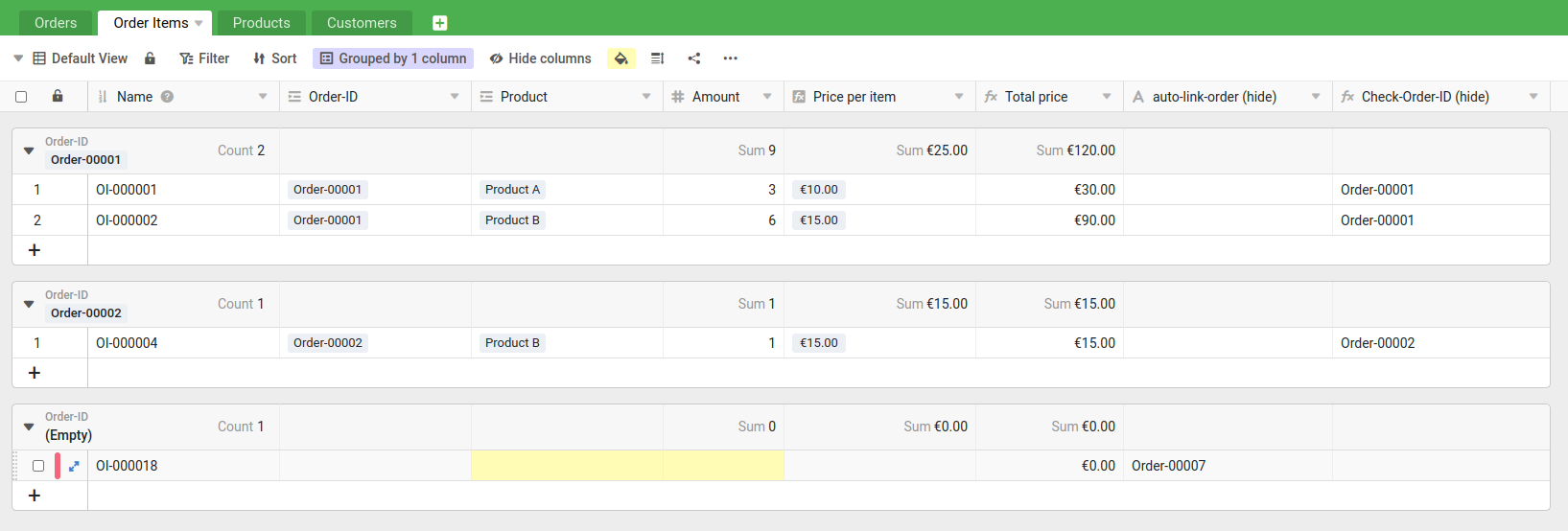
SeaTable is that powerful that I see many possible solutions. Allow me to explain the different approaches and then choose the one you like most. In general, I would group the table Order Items by Order-ID and use the color options of SeaTable to show problems or missing values.
In the following example:
- yellow means: this field is empty
- red means: this item has no order-id
Now after this general recommendation. Let me explain three different approaches to make your life easier.
Approach 1:
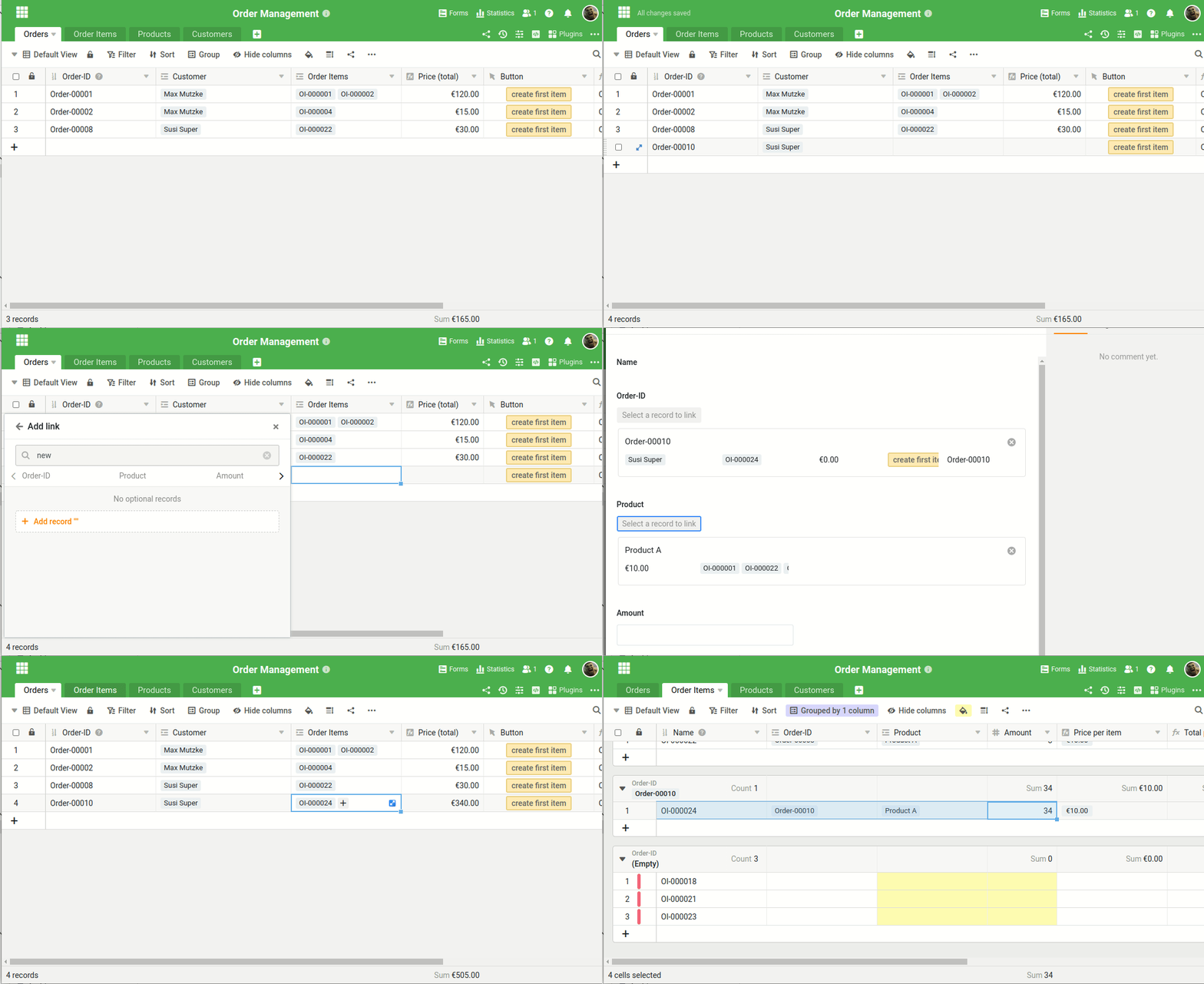
Just have a look at this animated gif. You can create an order item from the table Orders. Just double-click on Order Items, then enter something that does not exist and create a new order item. The Order Item then already has a the Order-ID in it.
Approach 2:
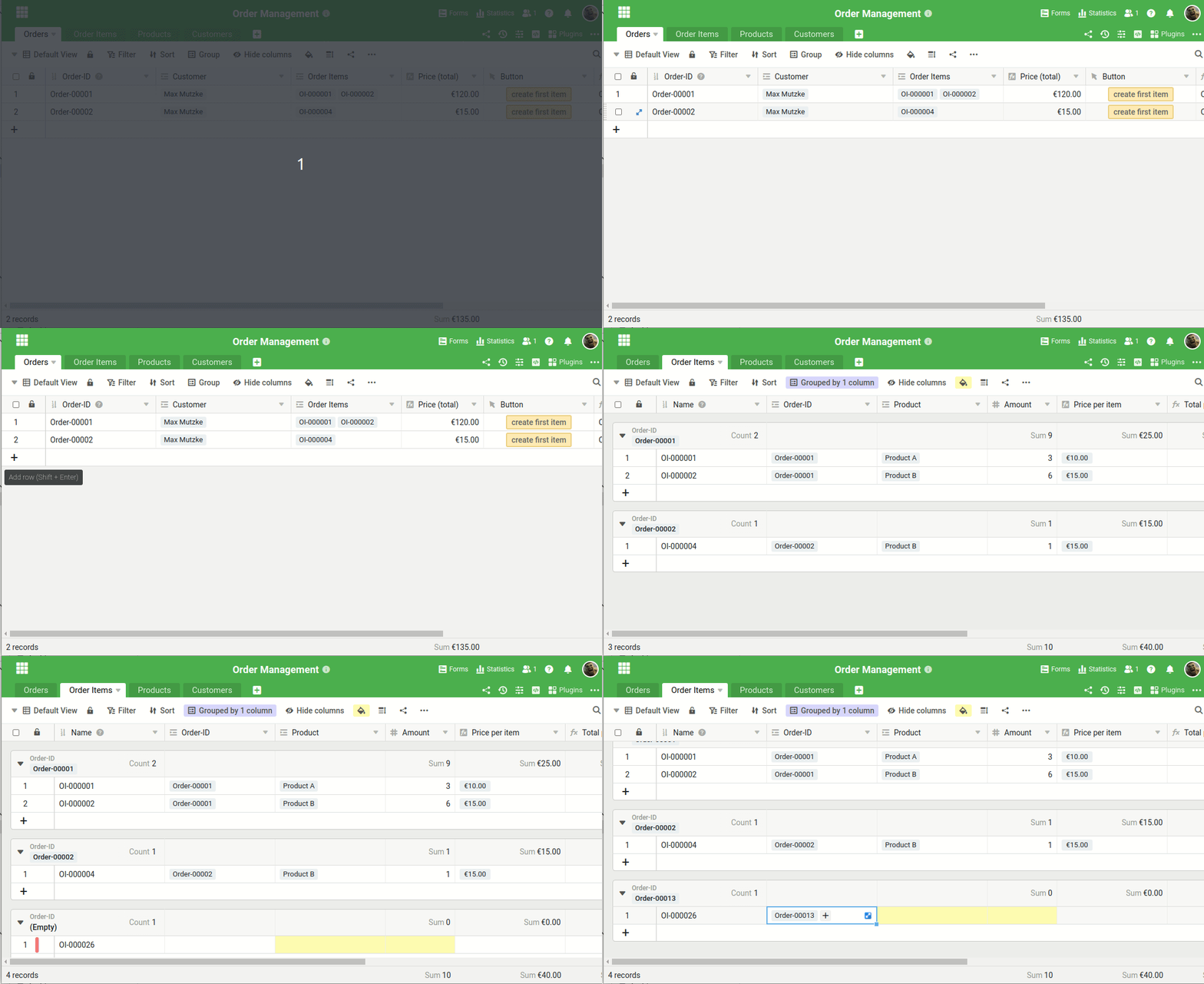
Use a button to create a new line at the Order-Items. this new Order Item has not Order-ID in it. Just copy-and-paste the Order-ID to the new item. Copy-and-paste works easily with STRG+C and STRG+V.
Approach 3:
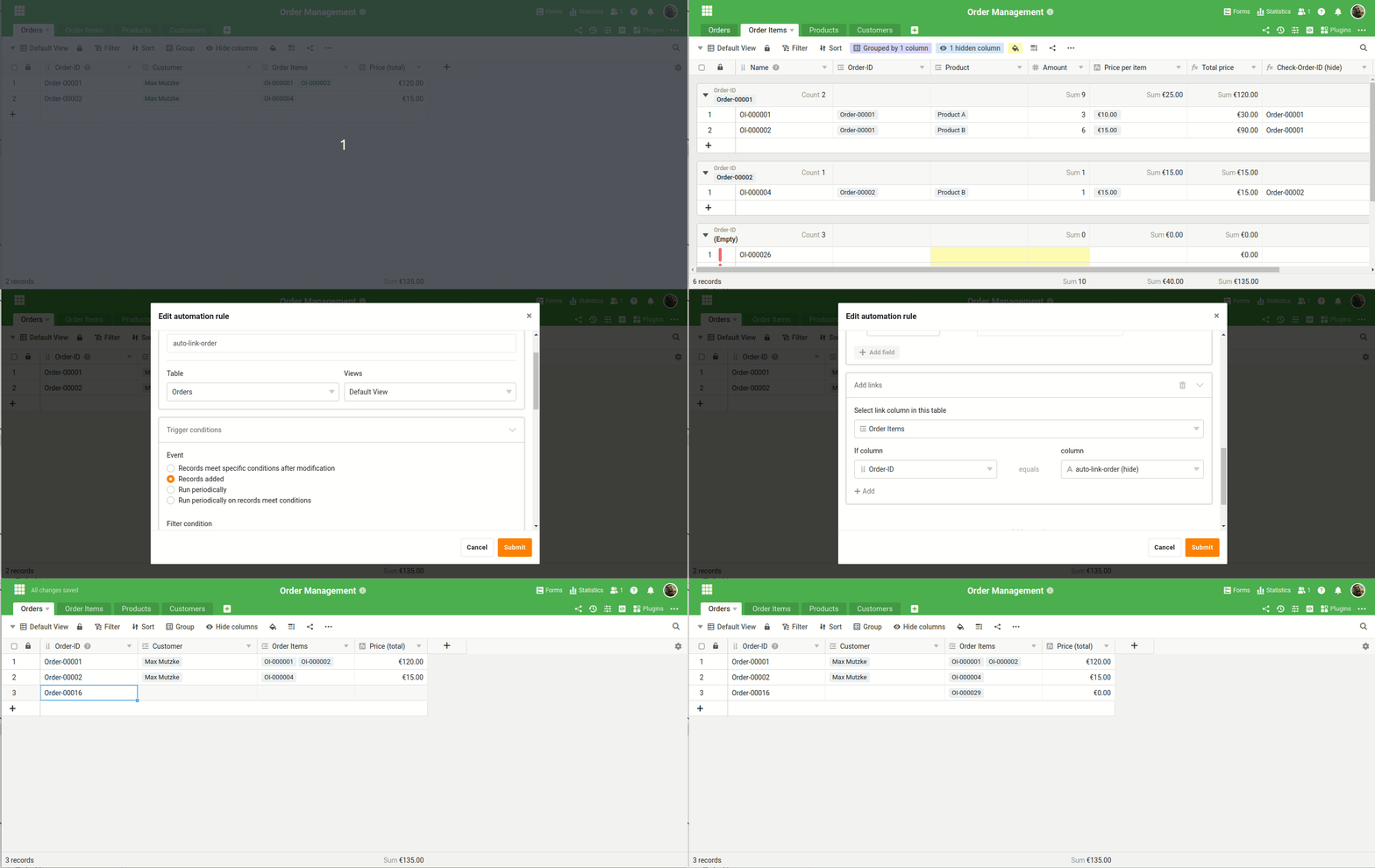
my last approach uses an automation and is therefore only available for teams with an Enterprise Subscription. First you have to add a new text column to the table Order Items. This column can be hidden later on and will hold the order-id.
Here is what my automation does:
- the automation runs every time a new row is added to the table Orders
- the automaton has to actions:
- Action 1: Add record to other table: Write the Order-ID to the hidden new column
- Action 2: Add links: Link together the order item with order.
I hope you could follow my explanations.
Christoph
