Hi Simon,
the third account management in the web interface requires username and password.
You can use the ‘Add A 3rd Party Email Account in A Base’ API call to create an email account without usernamen and password.
I just tested it and successfully created this email account in a base …
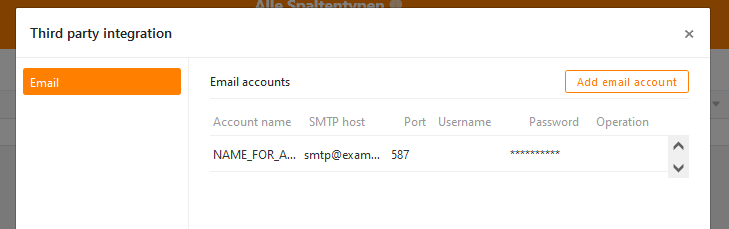
using this call (base id and token exemplary of course):
curl --location --request POST 'https://cloud.seatable.io/api/v2.1/third-party-accounts/0639b2b3-ffe6-459b-a48a-bd4d4aa87020/' \
--header 'Authorization: Token 97e34b23e92692ac17f4b5e346c5a60a9207b66c' \
--header 'Content-Type: application/json' \
--data-raw '{
    "account_name": "NAME_FOR_ACCOUNT",
    "account_type": "email",
    "detail": {
        "email_host":"smtp@example.com",
        "email_port":587,
        "host_user":"",
        "password":""
    }
}'
I haven’t tested it though, if the account can be used. Could you report your experience?
