Your Setup:
- SeaTable Cloud
Describe the Problem/Error/Question:
I created an ACCOUNT table to control sales accounts for my business.
As I work with large companies, it is quite common that some of them have some sort of group structure. And by a sales perspective, they, by any reason, must be treated separately.
Example:
SAP SE - Is a company based in Germany
SAP AMERICAS INC. - Is a company based in the US and is a subsidiary of SAP SE
To stablish the relationship between these accounts, I created a field called Group as a Link to Other Records field type (as I have done with other stuff in the same table).
BUT for this specific case, beyond creating the field itself, system automatically created a new field called ACCOUNTS (which, by the way, is the name of the table).
Here the screenshot:
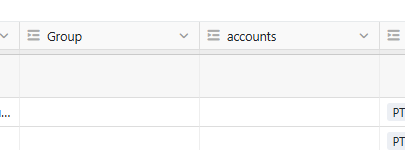
The thing is that this behaviour only happens when creating a field that links to another record in the same table.
And if I try to delete the new and undesirable ACCOUNTS field, the GROUP field is also deleted.
For reference, this is the strcuture of the ACCOUNTS table (you can find both there, in bold):
Table: accounts (ID: nzif)
→ Account Name (text)
→ Industry (single-select)
→ Core Sector (single-select)
→ Size (single-select)
→ Status (single-select)
→ Territory 26 (single-select)
→ sales plays (link → Tga4)
→ Account Group (text)
→ Group (link → nzif)
→ accounts (link → nzif)
→ Country (link → 3QFB)
→ Web (text)
→ Core Model (single-select)
→ Ecomm? (single-select)
→ TTB (single-select)
→ Tech Centre? (single-select)
→ Co Type (single-select)
→ Buy Power (single-select)
→ Notes (text)
→ Creator (creator)
→ Created time (ctime)
→ Last modifier (last-modifier)
→ Last modified time (mtime)
→ territory (link → hlsL)
Is this supposed to be the right beaviour?
(note: as a workaround, I just hidden the ACCOUNTS field)
