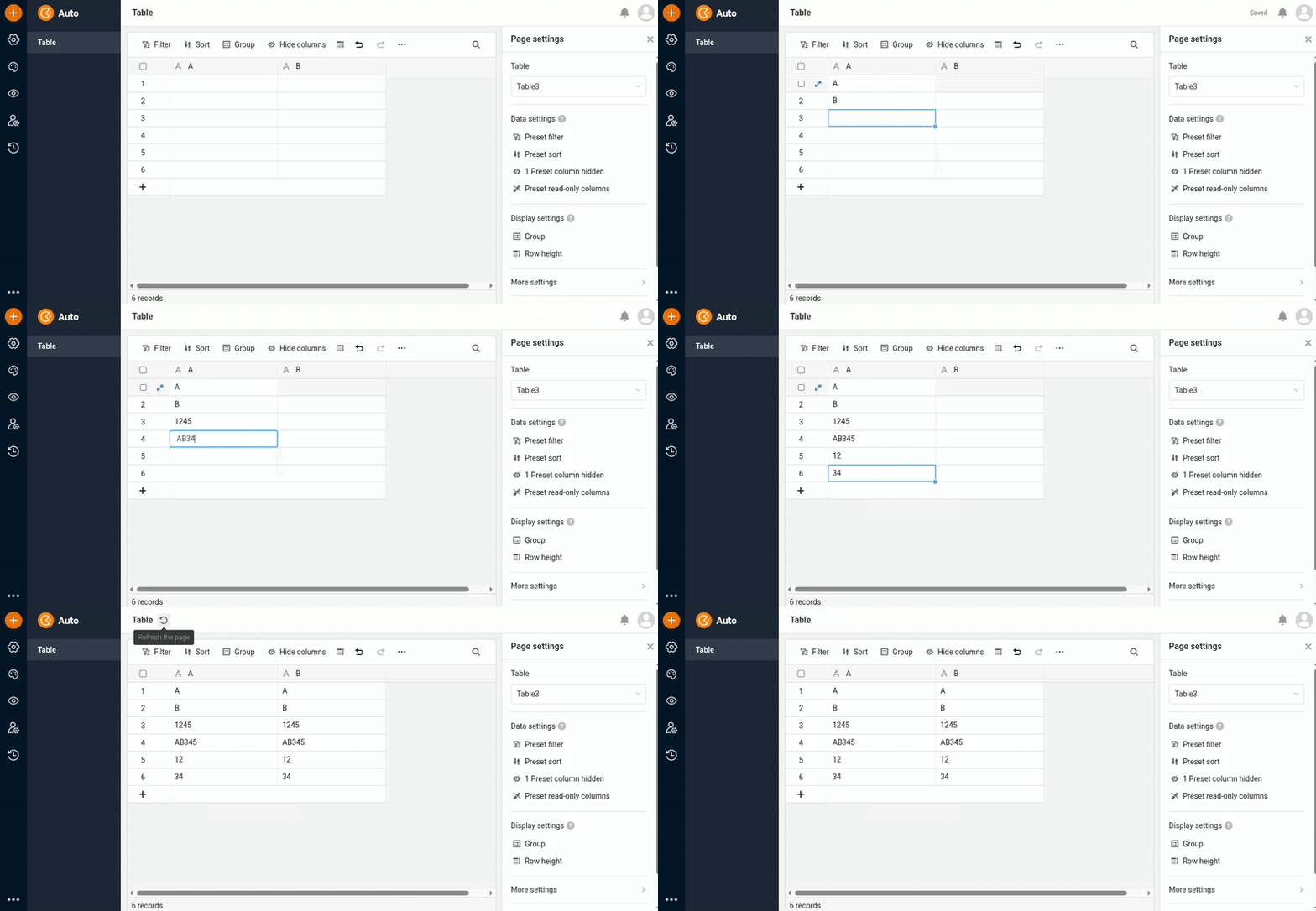
I had a very frustrating exchange with an app designer who complained about this behaviour, because it confused the hell out of him. He was also confused by the fact that formulae DO update in the browser instantly, but not automation results.
Example: He has an automation set up which sets column B based on a change in Column A. Realizing that Changing A did not (visibly) change B, he assumed that the automation hadn’t triggered, and changed A back to the original value. Only then did B change to a wrong value.
Here is what happened with a simple “B is equal to A“ automation.
Column A
Column B
12
-
23
12
12
23
42
12
43
42
You get my drift - the state of the automated column is always one step behind. Which IMO is far worse than the App not updating at all. I was able to deflect some of the frustration by replacing automations with formulae, but the problem remains.
I noted that in the background, the edited row data is sent to the server to be stored, and the resulting data is returned and displayed - but pre-automation, as it seems.
Question / suggestion: Wouldn’t it be possible to delay the return of the written data until the (some or all) automations have run? I understand that some automations may be long-running, and since actions are now processed in order, this would slow down the App interface. But maybe there is a compromise? A slight delay to give quick automations a chance?
As I said: I agree that it is not optimal that the app does not work like the base editor. We’ll change improve the app in the foreseeable future. For now, users (and developers) must accept that apps and bases behave differently.
But apart from this usability issue, isn’t this the more important topic:
As demonstrated in the videos in my previous posts, I cannot reproduce this issue.
@rdb I’m sorry again for the confusion. It was due to the way I tried to visualize this. Each line in my table was meant to represent a current state in a change sequence. Unfortunately, we are not allowed to use a screen recorder
What I tried to show (and failed) was:
Entering 12 in column A does nothing in column B, even though the B=A automation has run.
Overwriting the “12“ in column A of the same line causes column B to change to 12, the result of the previous automation
The same with 12 again, 42, 43 in the same line - that confused my colleague.
Anyway, since you are aware of the problems this causes and most importantly, are working on this, I mark your previous comment as the solution.