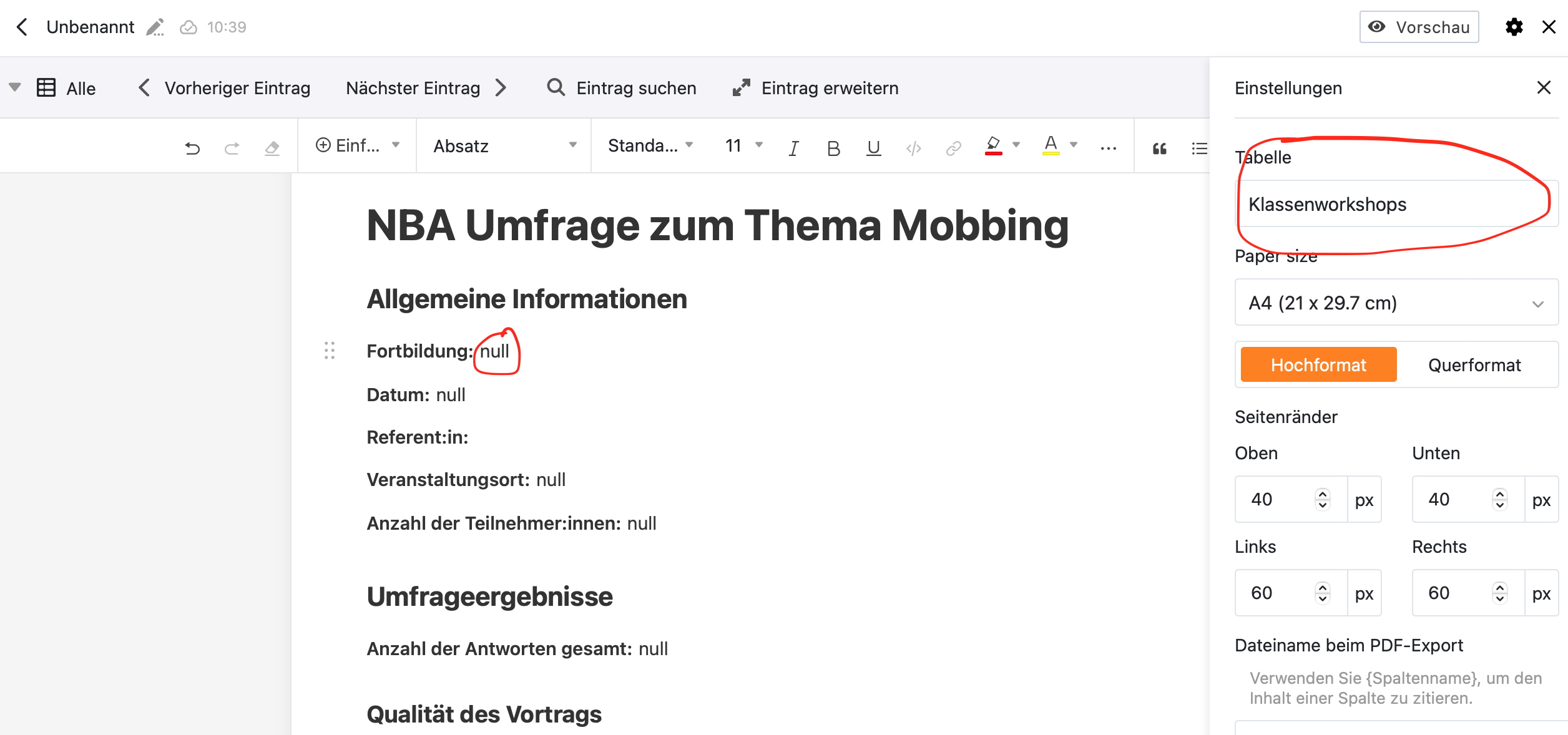
I encountered a major bug in the report design plugin that makes it impossible for me to use.
When creating a new document within the plugin one selects the table it is supposed to be linked to. Three times now, this link broke and a different table was suddenly referenced for that document. The new broken link always referenced the first table in my base. This of course leads to all column references in the document to be broken.
Unfortunately I have not yet realized any pattern or timing for this bug, so I cannot give you any additional information. I have used the firefox browser instead of the safari browser because of other quirks.
Thank you for your ongoing support. I hope this will be easily mendable.
Sorry for the inconvenience. Please keep in mind that the report design plugin is still in beta.
Can you rule out that you have somehow broken the link between the report design plugin and the associated table? I am asking because you are the only user reporting this issue.
I don’t think, that I could have broken the link, since after creation of a new document the link cannot be changed any longer. I never touched that setting afterwards. I created quite a few table column references in my report document and sometimes I switched between safari and firefox browser. I let the document rest for a week or so. I added new rows to the referenced table and the one that was referenced when the link broke. I added quite a few charts to my report design, referencing another table alltogether for its statistical content. Thats all I can think of right now.
I apologize for posting the bug twice. There is no difference to the other post. I merely wasn’t sure if the other one was still active and being red.