Hi SeaTable Community,
I’m trying to synchronize a “main contact” relationship between two tables using scripts.
Setup / Tables
-
Table 1: Contacts
-
Checkbox column: Is_Main_Contact
-
Link column: Contact_Company (link from Contacts → Customers)
-
-
Table 2: Customers
-
Link column: Main_Contact (link from Customers → Contacts)
Goal
When I change the checkbox Is_Main_Contact in Contacts:
-
If ON (true): the corresponding contact should be set as Main_Contact in Customers
-
If OFF (false): Main_Contact in Customers should be cleared again (removed link)
What I observe
-
Running my JavaScript sync script manually in the Contacts table works for setting the link (ON).
-
When I toggle the checkbox to OFF, the Main_Contact link in Customers does not clear automatically unless I run the script manually again.
-
I want the script to run automatically on checkbox changes, but in my UI I don’t see an automation option for executing scripts in background.
Attempts / Errors (summary)
-
Several JS API issues occurred during development (wrong parameter handling, link_id handling, getRows(…, view) with undefined view, etc.).
-
After fixes, the manual JS run correctly sets the link (ON).
-
I also tried a Python approach:
-
It shows no visible output (“no result”) and it does not reliably update data in the Customers table.
-
I have screenshots of the runner/editor and the “no output” behavior.
-
Questions for the community
-
Is JavaScript suitable for automation triggers in my setup? (I don’t see a JS automation option)
-
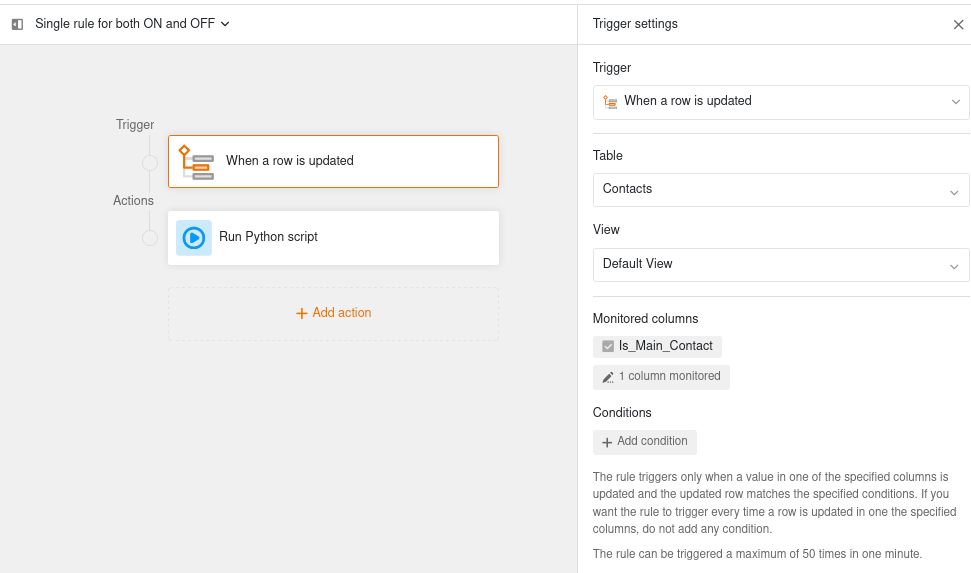
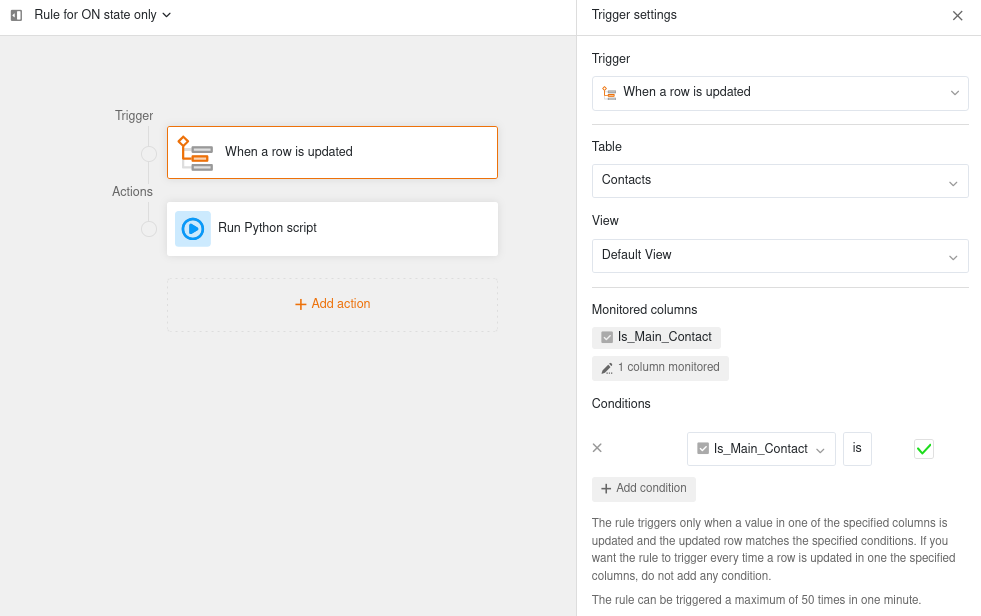
If Python is required: what is the correct Automation Trigger + Automation Action configuration to run a Python script when Is_Main_Contact changes in Contacts, so that it performs set AND clear on Main_Contact in Customers?
-
If Python should work: why do I see “no output/no result” even when the script is executed? Are there known limitations depending on SeaTable edition/setup?
Thanks in advance!


 …
…