Hello! When exporting a database or a view to Excel, all dates change to 1 day ago. Can you tell me how to fix it?
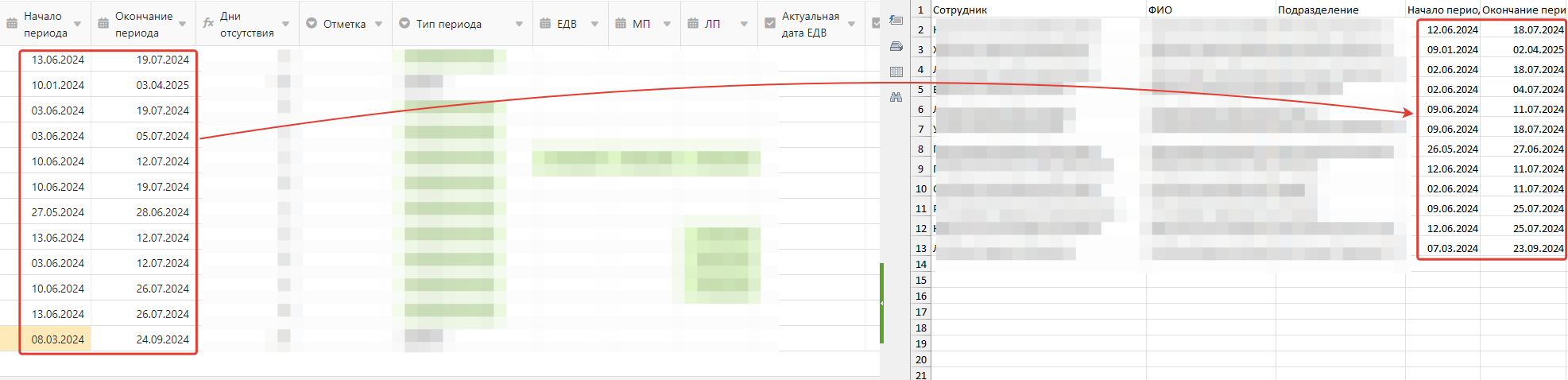
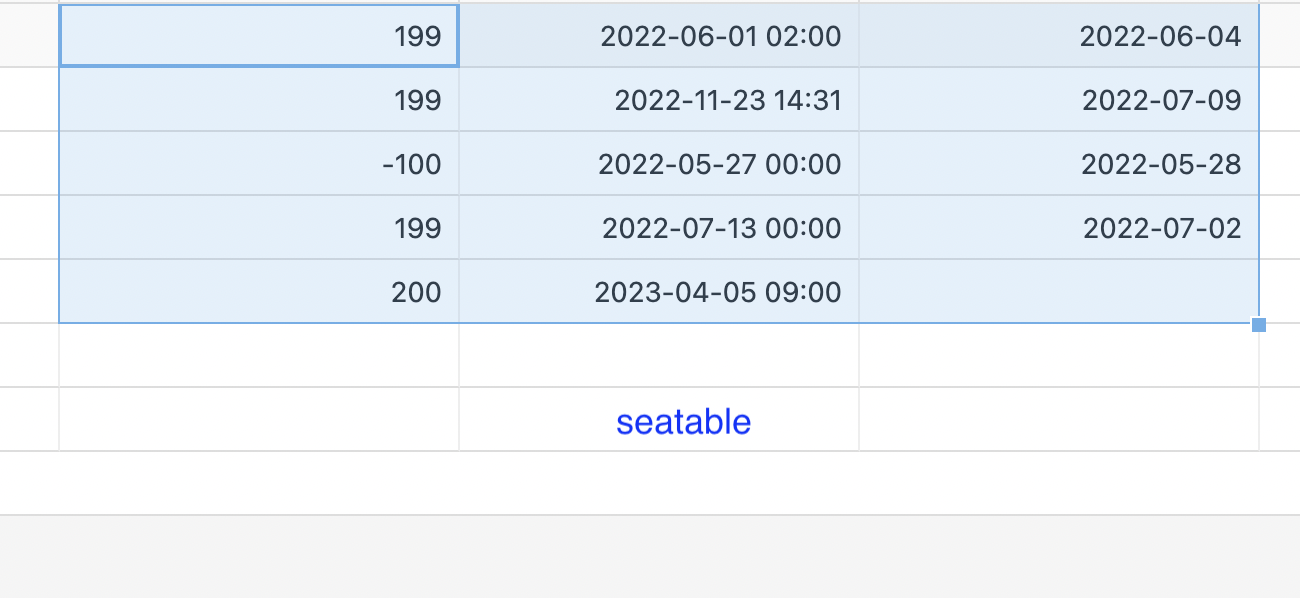
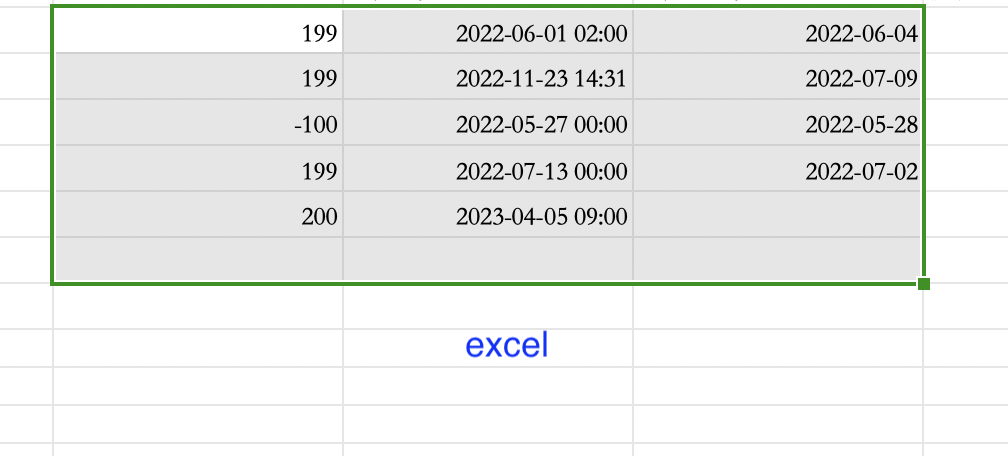
The version we are using is developer, 4.1, Self-Hosted.
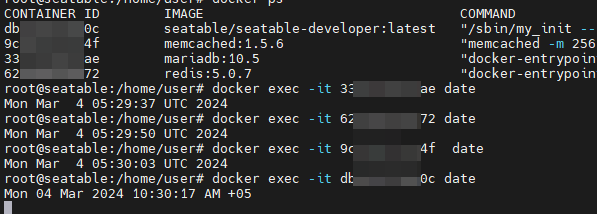
I checked the time and date in the containers, on the SeaTable server and on my PC, it is correct, but the problem persists.
I also noticed that the problem is reproduced only when the date format is “Germany, Russia, etc.” and there is no accuracy to the minute.
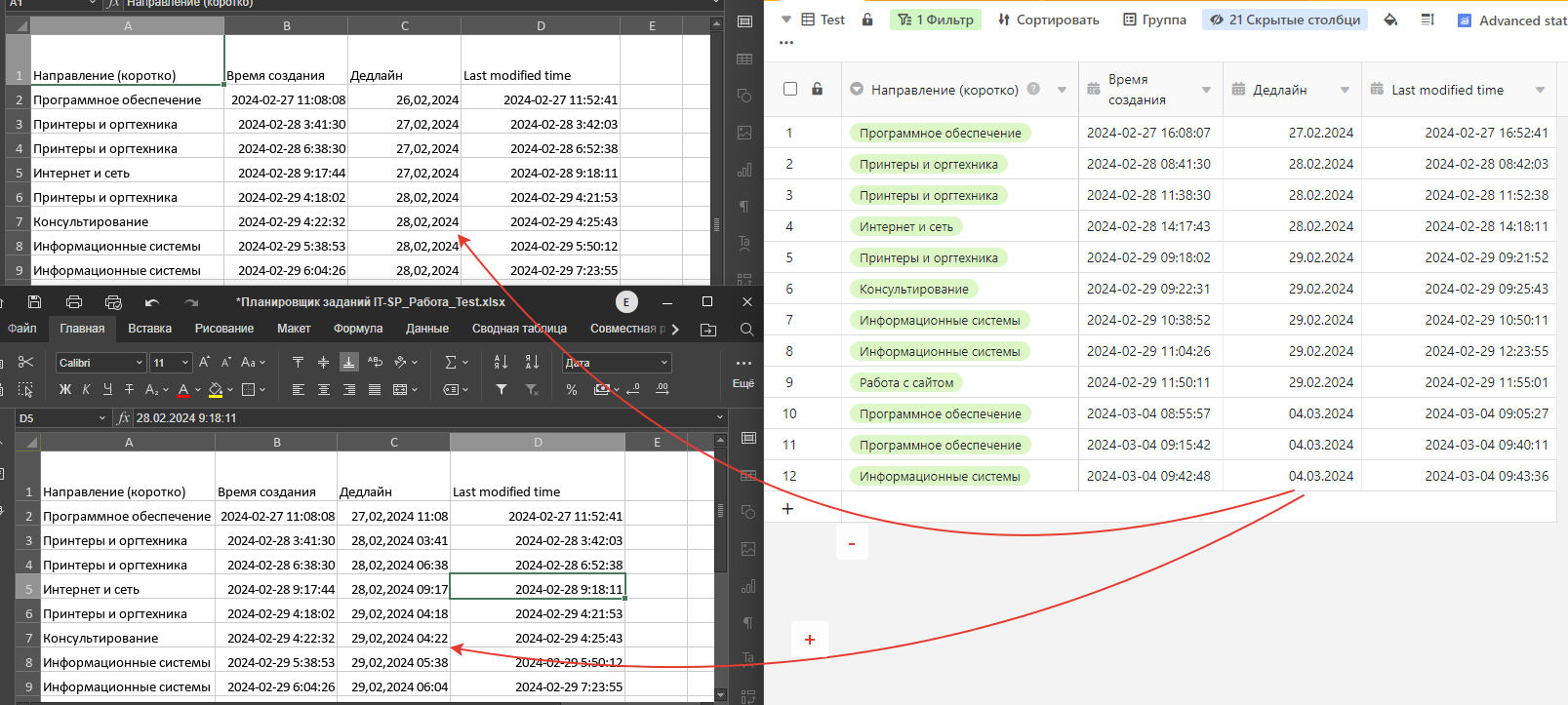
I updated the system to version 4.3, but the problem persists
Do you have a TIME_ZONE setting in dtable_web_settings.py?
If not, please add
TIME_ZONE = UTC
and restart your seatable server.
I did not find this file…
(I upgraded to version 4.3 following the old instructions)
Sorry, I specified the wrong config file. I have updated my previous post.
When I add the “TIME_ZONE=UTC” parameter to dtable_web_settings.py, SeaTable stops working after the server restarts. A Nginx 502 error occurs. I have now removed this parameter
You can try this parameter the dtable_web_settings. py file TIME_ZONE='UTC',please note that UTC needs to be enclosed in quotation marks

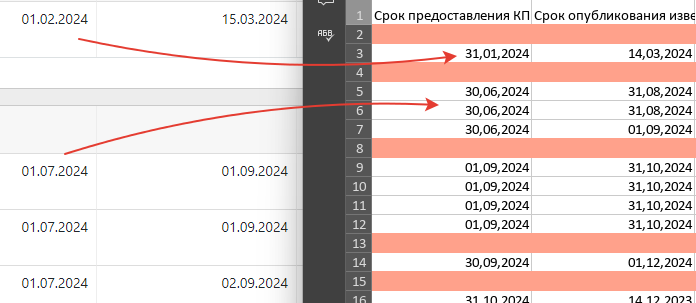
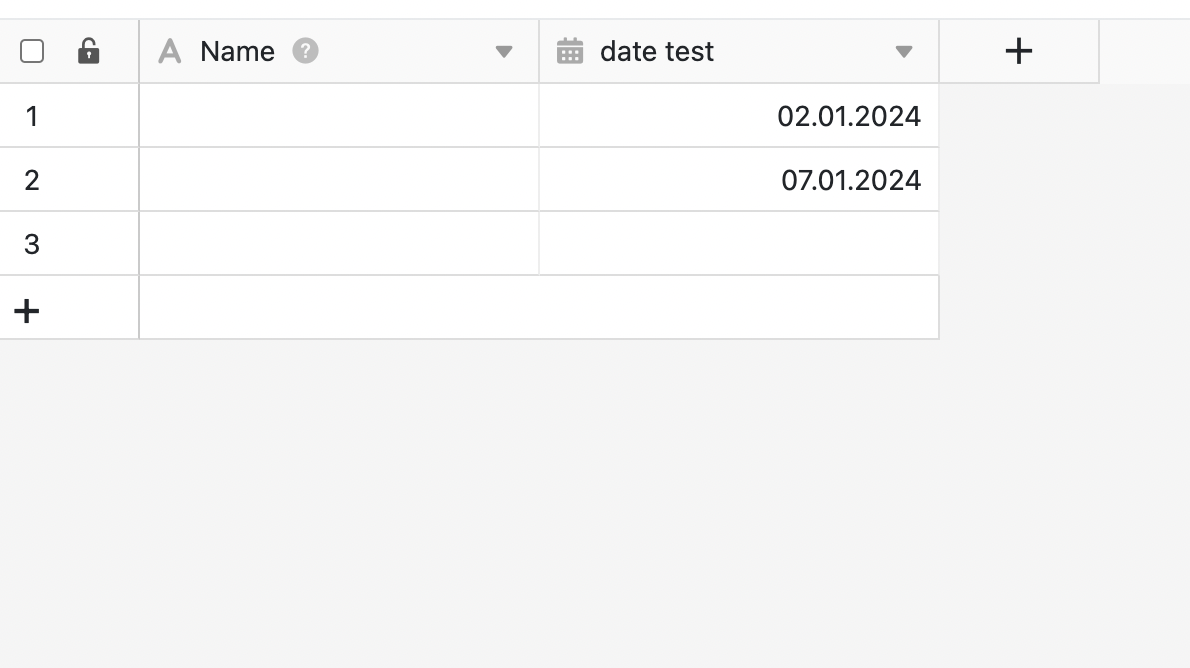
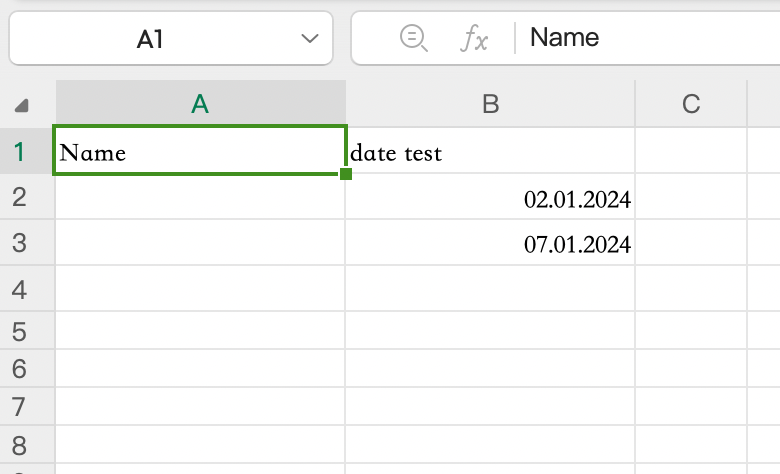
Hey everyone,
One common issue regarding date columns stems from misconfigured time zones. This discrepancy often arises when the settings for time zones are incorrect in different parts of the system.
There are three key areas where the time zone setting must align:
-
Timezone at the Host:
Begin by checking the timezone setting on your host system using commands like
timedatectlordate. If it’s incorrect, adjust it using:timedatectl set-timezone Europe/BerlinEnsure that your timezone matches the one specified in the list of allowed time zones.
-
Timezone in the SeaTable Docker Container:
If you’re using the SeaTable Docker container, ensure consistency by updating the timezone in your
.envfile ordocker-compose.yml. Detailed instructions can be found in the SeaTable Admin Manual. -
Timezone in the SeaTable Application:
Navigate to your SeaTable configuration file,
dtable_web_settings.py, and set theTIME_ZONEvariable to your desired timezone, e.g.,"Europe/Berlin". Remember to restart SeaTable after making changes todtable_web_settings.py.The configuration entry has to look like this:
TIME_ZONE="Europe/Berlin"
# not "TIME_ZONE=Europe/Berlin"
It’s important to note that with SeaTable version 4.4 or newer, setting the timezone in dtable_web_settings.py may no longer be necessary, as the application will default to using the value from the .env file.
Summary:
To resolve date column discrepancies, ensure that the correct timezone is specified in dtable_web_settings.py and restart the SeaTable service. While version 4.4 will automate this process, it may take a few weeks for this update to become available.
