Your Setup:
- SeaTable Cloud
Describe the Problem/Error/Question:
I am using your universal app builder and within that a page of the type Webform. (I am a German user, I hope this is correct)
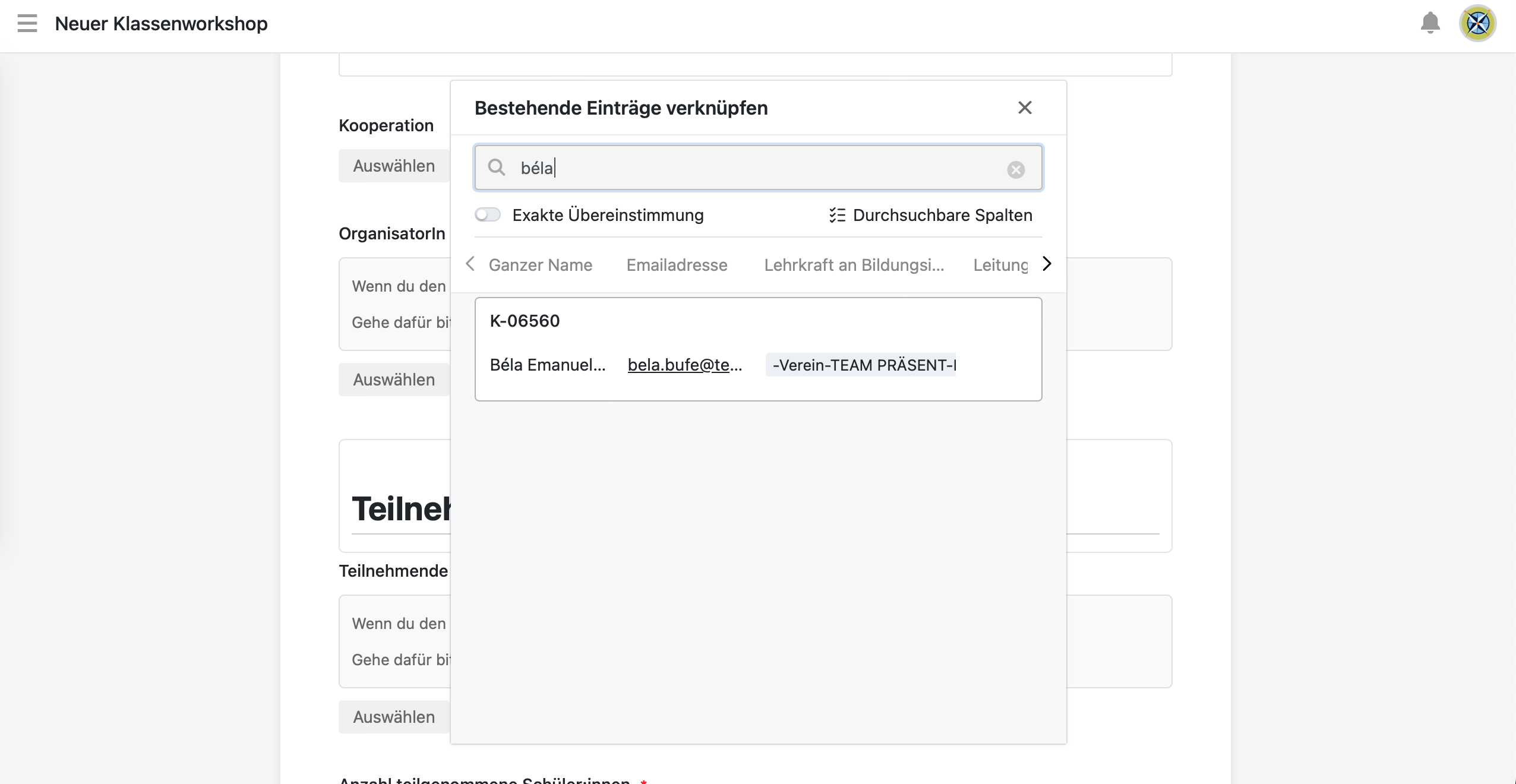
When I use an input field for a column of type “link to other table” the panel displaying the search results is rather small and the separate column fields within the panel are so small that the content is cropped. I cannot find a way to resize the fields or the panel itself, which would be highly useful for my app-users to actually see the data. On laptops it is less of a problem because hovering over the information reveals the full content of the column but my users are working on tablets where this option doesn’t exist.
Here is a screenshot where you can see the name and email address cropped:
Thank you for your help.
Kind regards, Béla