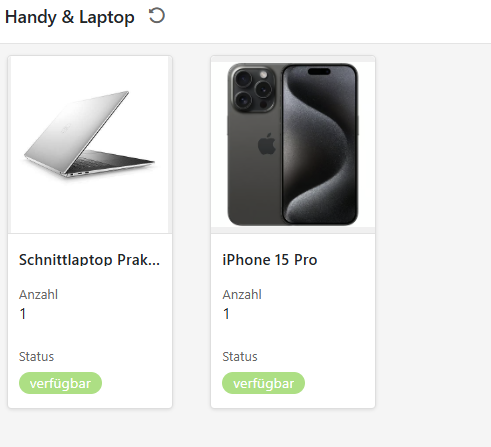
I am working on an App to rent out equipment. Pretty simple: Title, image, start date, end date, collaborator field.
I want to display this as a gallery in an App. However there seems to be a bug. I enter the start date in the date field, it is displayed. Then I enter an end date and the start date vanishes. I enter a collaborator and the end date vanishes. You can get the idea. The information is saved though. If I close the entry and reopen, everything is there. But this causes a lot of confusion when filling out the info.
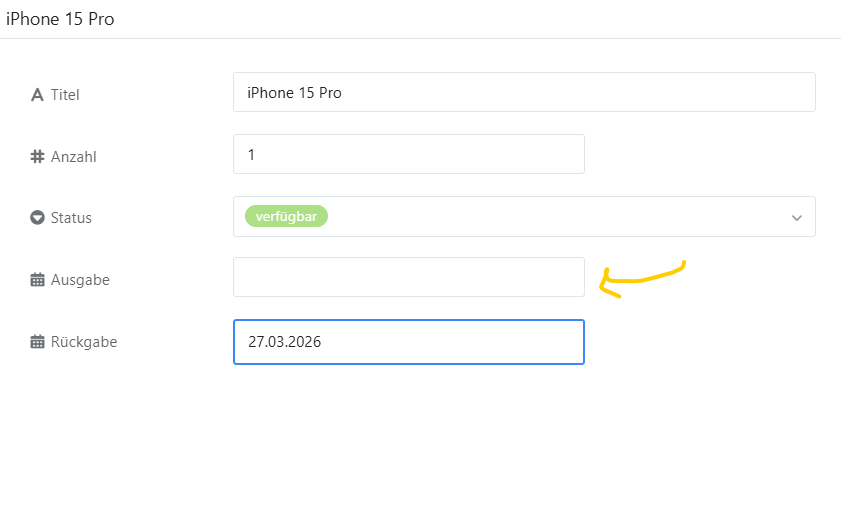
However if you open an item to fill out information, it struggles with date and collaborator fields. In this screenshot, I have already filled out a date for “Ausgabe” but when I went on to fill out “Rückgabe” it disappears from view. (it is however saved, you just cannot see it) Same happens with a collaborator field.
Hey! Yes this seems to be a front end issue. However it happens with Chrome, Firefox and Edge - and on different laptops. It causes a lot of issues in daily use, so I hope that it can be fixed.
It’s one of those things that’s easy to miss when you’re setting up the App view versus the base table view, especially since the configurations don’t always sync over automatically. Knowing exactly where to toggle those fields back on saves a lot of time spent wondering if the data just disappeared.
Do it like thousands of other people who have used SeaTable to develop powerful processes and get their ideas and tasks done more efficiently.