Your Setup:
- Self-Hosted 5.1.9. / 4.4.9 / 5.0.8 (tried all three)
Describe the Problem/Error/Question:
After having been down a Rabbit whole in this post and after having read the documentation there is still one issue that needs an explanation.
What is the logic behind the behaviour that even if I hide Link fields in this dialog:
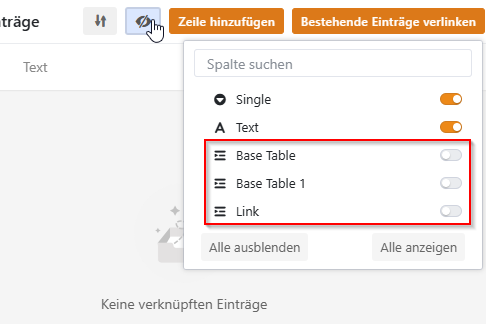
Only the direct back link (in this case Base Table 1) is actually hidden. Alls other Link field are always displayed in the “add record” dialogue. The “hide / show” works with all types except Links

