Can someone from SeaTable please tell me why I lost all API access to my table? The last entry was on 11/03/25. I am getting a “Response status code does not indicate success: 429 (Too Many Requests).” error.
Hi @nbrege, we’ll probably need some more information to give you an accurate answer:
- Are you using Cloud or Self-Hosted version?
- Which plan?
- Which version?
- How do you call the API?
For now, just a few general considerations then: you usually get a 429 error when you hit the API limits (please read the API documentation about limits). There are two types of limits:
Minute limit
Protects against short-term load peaks and abuse.
-
General rate limits
Endpoints SeaTable Cloud SeaTable Dedicated and Server All account operations /api/v2.1/*1000/min 3000/min All base operations /api-gateway/api/v2/*200/min 500/min -
Authentication rate limits
Endpoints SeaTable Cloud SeaTable Dedicated and Server Get Account-Token /api2/auth-token60/min unlimited
Monthly limit
Based on team size and subscription. With the update in early July 2025, SeaTable introduced so-called Team API Limits. In addition to the previous general limits, there are now restrictions based on team size. The goal: more transparency, fairness, and targeted control of API usage. The new limits are:
- SeaTable Cloud Free: 3,000 API calls per month (flat)
- SeaTable Cloud Plus: 10,000 API calls per month and user
- SeaTable Cloud Enterprise: 50,000 API calls per month and user
In both case, you should consider optimizing your API calls.
To consult your API calls you can refer to the API documentation
the
/api-gatewayendpoints return the current API usage throughx-ratelimitheaders. These headers provide the minute limit, the current usage, and the next reset time as a Unix timestamp in seconds. Below is an example of the returned headers:x-ratelimit-limit: 500 x-ratelimit-remaining: 493 x-ratelimit-reset: 1720710405
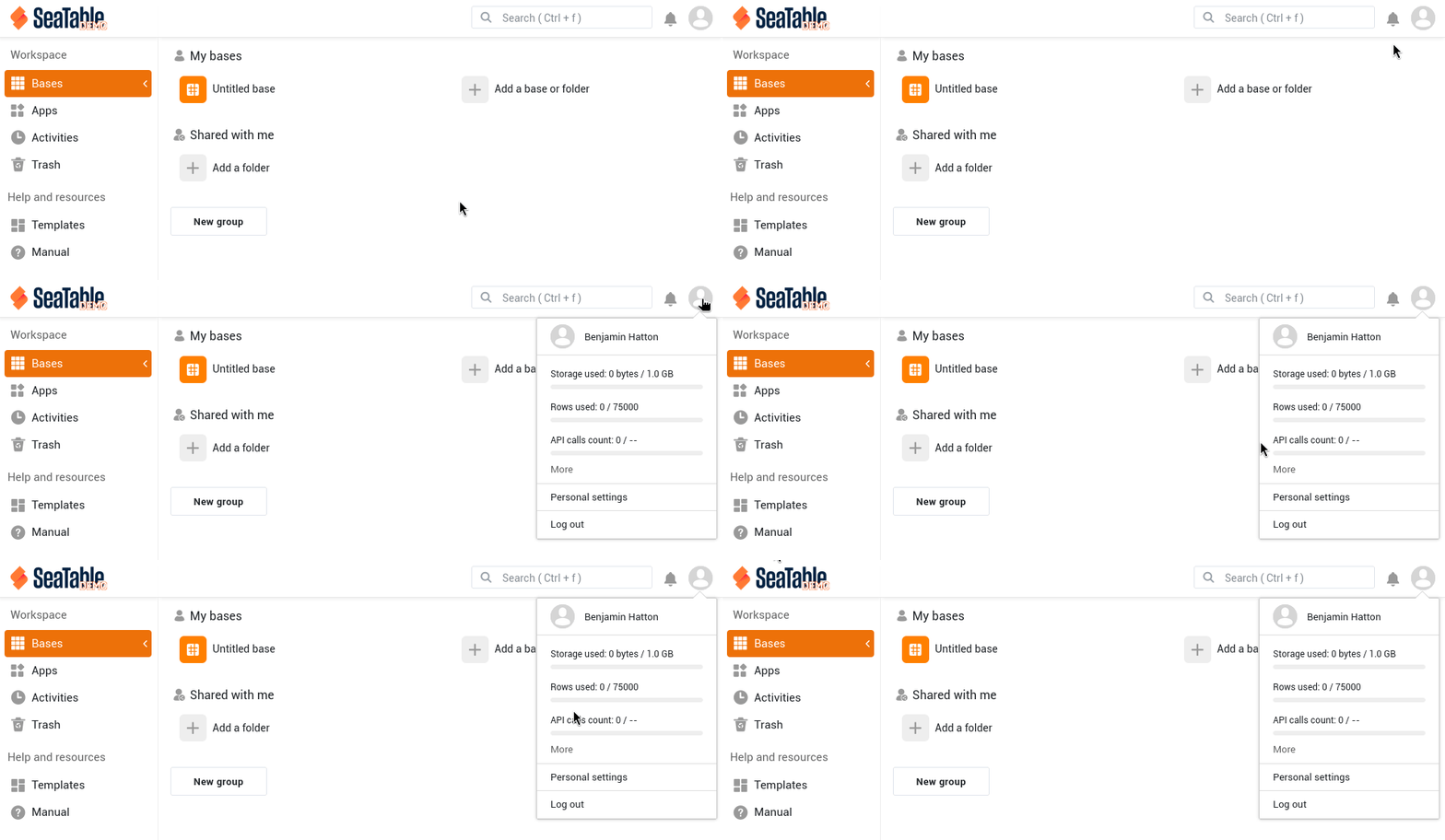
Or check in your account menu in the top-right corner of the SeaTable web interface home page

Bests,
Benjamin
The only option I have is Base Status which only shows me row count & storage usage, no API calls.
I am using the free plan. My table has 9500 rows & is using 3.3MB.
Hi again, I think you didn’t look at the right place: you should click the avatar icon  in the top-right corner of the SeaTable web interface home page (not within a base):
When does the API count reset?
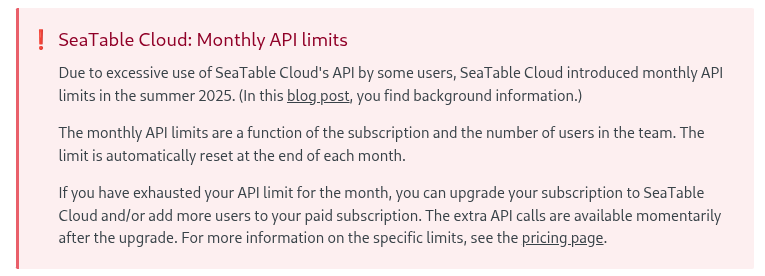
That doesn’t really make sense. The last entry in my table was 11/03. There’s no way the API count was exceeded 3 days into the month…
So, SeaTable did not reset the API call counter or gets the counting wrong?
Hi again @nbrege,
As i asked in my first post, we need some more information about how you use the API, because the number of API calls don’t necessarily rely on the date of your last entry. For example, if you have a script iterating over your rows and calling the API for each one, you’ll make 9500 API calls each time you run your script.
That appears to be the case. The API counter did not reset .
I am not iterating over the rows. I can read in the entire table in 1 API call. There should not be 3000 calls in 3 days. It appears the count didnt get reset.
Dear @nbrege,
I can confirm that the API counter did reset on the end of the month. Can you please provide more information how you used the API? Do you run python scripts or do you have a custom integration?
Best regards
Christoph
Does SeaTable offer any built-in functionality to delete old rows? I have my app setup to be self-maintaining. It will call the API to delete old rows in the table to keep the row count under the 10,000 row limit of the free plan. I believe most of my API calls are being used to perform this maintenance, hence why the API call limit is reached so quickly. I know I could delete old rows manually through the web interface, which would reduce the API call greatly, but I don’t want to have to do that. If SeaTable had an option to set the max rows & delete old rows that would solve my issues. Does anyone have any thoughts on how I could keep my app self-maintaining using less API calls?
Hi @nbrege,
Using a Python script and the batch_delete_rows function (see Developer documentation) will allows you to delete multiple rows (max. 10 000) at once. Depending on your plan you can create an automation to schedule this time at regular interval.
Bests,
Benjamin
Why not upgrade to Plus?
You would honor the work and effort we put into SeaTable.
cdb … because I don’t make any money from my app…
bha … Is this functionality available in the free plan?
Automations are not included in the Free plan: SeaTable prices: Transparent rates for every team size
In this case, you’ll have to run the script manually.
