"Can someone confirm this — it’s a known limitation of SeaTable: Formula-type columns frequently don’t display or don’t calculate within Apps / External Apps, even though they work perfectly in the regular table view. There are reports of this same issue on the official SeaTable forum regarding formula and lookup columns inside Apps ?
Please fill out the template and provide more context.
Which formulas are you referring to? Which page types within universal apps?
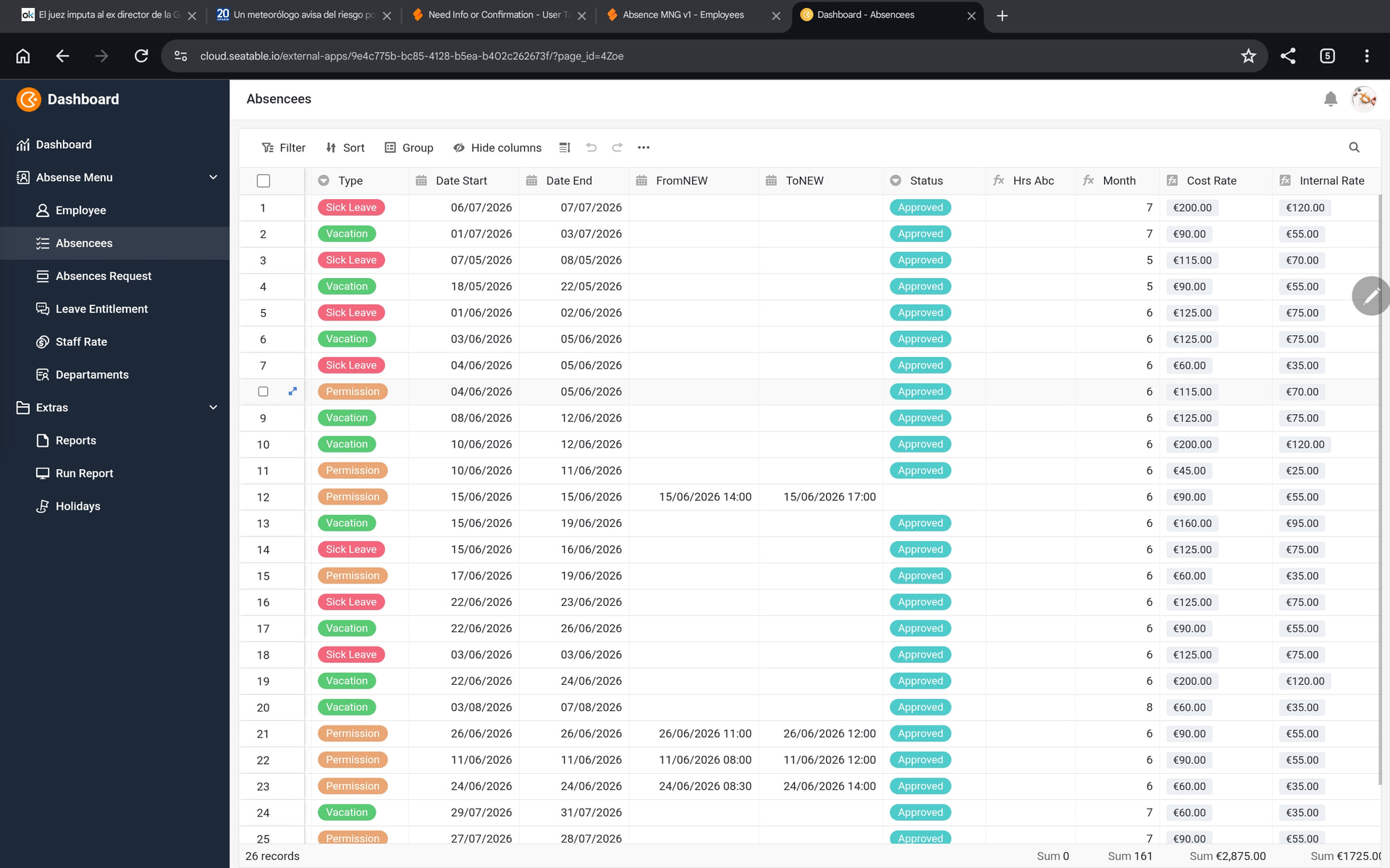
Okay. Please provide the definition of the formula of the Hrs Abc column.
if(
and({FromNEW}, {ToNEW}),
round(dateDif({FromNEW}, {ToNEW}, ‘S’) / 3600, 2),
if(
and({Date Start}, {Date End}),

networkdays({Date Start}, dateAdd({Date End}, 'days'))
* 8,
“”
)
)
FromNew and ToNew are field Date Time (Duration)
It’s definitely a bug
You are definitely fast with your conclusions.
First of, I am not sure what to make or your previous post. Are this one formulas or two? Or even more? Discourse offers various formatting options. You do us a favor if you use them.
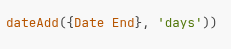
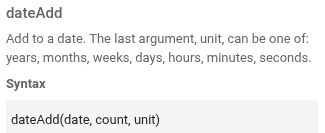
Secondly, the dateadd() function is definitely misspecified. It requires three parameters, you provided two. (There may be more syntax errors in the formula.)
Data is correct in the Base Table, the Formula column is selectable in the App/chart, but its value isn’t read at render time — it returns 0/empty.
The Formula is correct noo errors
I have a Formula column (Hrs Abc) in a table that calculates elapsed hours between two datetime columns using a standard date-diff expression. The formula displays and calculates correctly in the normal grid view.
However, we found two related failures:
Dashboard / External App charts: When this Formula column is used as a data source in a Dashboard chart (or inside an External App), it doesn’t calculate — the chart renders as if the field were empty, even though the same rows show correct values in the grid.
Python API: Calling base.list_rows(table_name) via the seatable-api Python SDK returns None for this Formula column on every row, even for rows where the grid clearly shows a computed value. This affects any script or automation trigger that reads the row data programmatically (e.g. via context.current_row or list_rows).
Impact: Any workflow that depends on reading a Formula column’s result outside the grid UI — dashboards, external apps, or Python automations — silently gets no data, with no error thrown.
Workaround used:
Created a plain Number column that stores the same calculation, computed manually in Python (reading the source date/datetime columns directly, not the Formula).
Set up an automation (trigger: row added/updated) that runs a script to recompute and write that Number column whenever the source dates change.
Repointed all Dashboard charts and API consumers to the Number column instead of the Formula column.
Steps to reproduce:
Create two Date/Datetime columns and a Formula column that computes the difference between them.
Confirm the Formula shows correct values in the grid view.
3a. Add that Formula column as a series in a Dashboard chart → chart shows no data for that field.
3b. Or call list_rows() via the Python API and inspect the Formula column’s value on any row → returns None.
Are you looking for a problem or a solution? I am trying to help you.
This is the dateAdd() function in your formula:
This is the syntax of the formula:
You see the issue?
It is possible that the formula column does not enforce the syntax. This would be a bug. But don’t be surprised that your formula works incorrectly when you use the function incorrectly.
This closes the forum thread: it wasn’t a SeaTable bug — it was a syntax error in the original formula, and it’s now fixed and validated in the App. Thanks very much and sorry
if( and({FromNEW}, {ToNEW}), round(dateDif({FromNEW}, {ToNEW}, ‘S’) / 3600, 2), if( and({Date Start}, {Date End}), networkdays({Date Start}, {Date End}) * 8, “” ) )
This formula works
