Hi everyone. If my request is covered with something different, please kindly share the link.
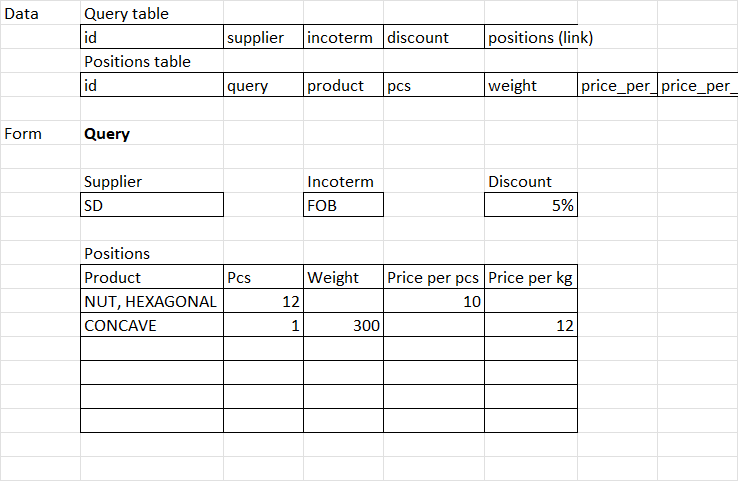
So I have parent and child tables and now trying to make a simple nested form with some fields of parent table and editable grid to easily enter child table’s entries. Basic target layout see on Pic 1.
The closest ways as I’ve found, are:
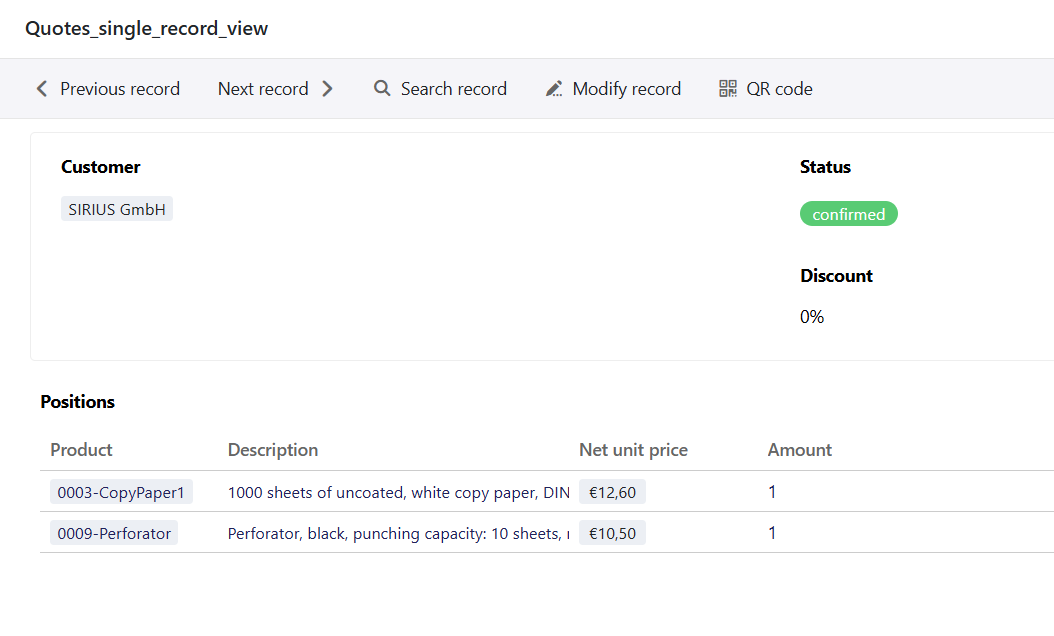
“Single record“ page in apps interface (Pic 2). But it’s not that great when it comes to add a new entry: easy input of child entries is crucial for me
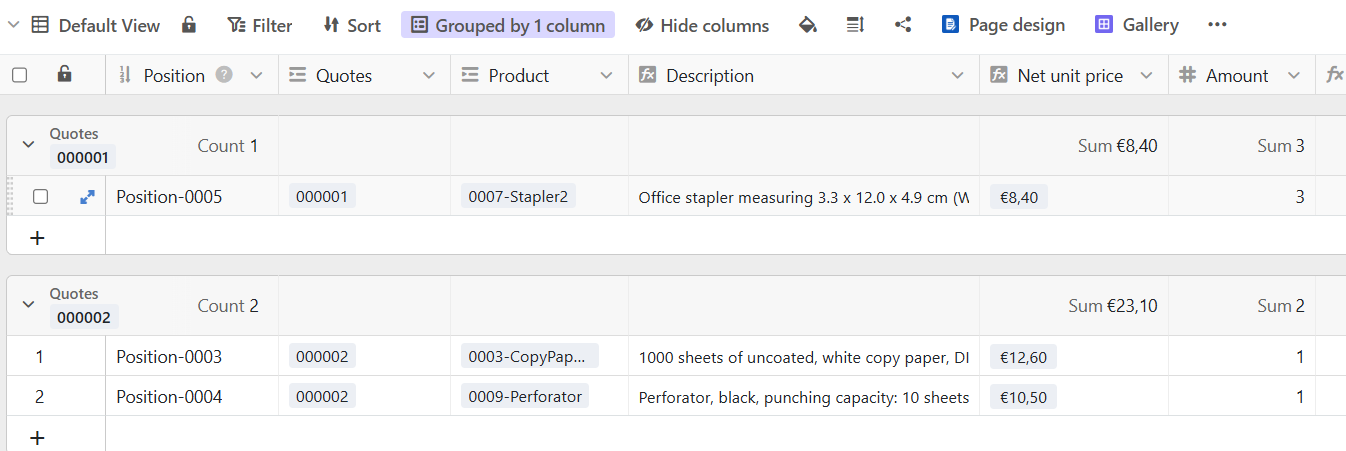
Groupped view of child table (Pic 3). But it’s not that convenient to enter parent’s parameters.
So if anyone has faced this issue, could you please share your experience of solving / bypassing it?
Sorry for the late reply. I try to find out a solution but I think you faced the major limitations for now regarding your use case. However, version 6.1 that should arrive before the end of the year might bring a solution as the link edition will be eased in “Single page record”-type app pages: wait and see
Alternatively, here is another solution that might fit your needs:
Create a new Python script and copy/paste the following code:
In your Quotes table, create a new text-type column called viewID and a new button-type column that will run the script you just created as first action and will then open an URL. To find the value of this URL, just open your Positions table, copy the URL, and replace the last four characters (after &vid=) by {viewID}
Here is what the script actually does: it creates a new view with the name of your current Quote in the Positions table, applies a filter to this view so it will show only the Positions linked to this quote and create a first (empty) position. The button run this script and then opens the corresponding view. Using such a filtered view will make every new Position in the table alreading having the right Quote linked, so it might be easier to fill.
Bests,
Benjamin
Do it like thousands of other people who have used SeaTable to develop powerful processes and get their ideas and tasks done more efficiently.