Sometimes if you open an old tab on Chrome, you get an old state of the base. You need to manually reload the page to get the newest version of the base.
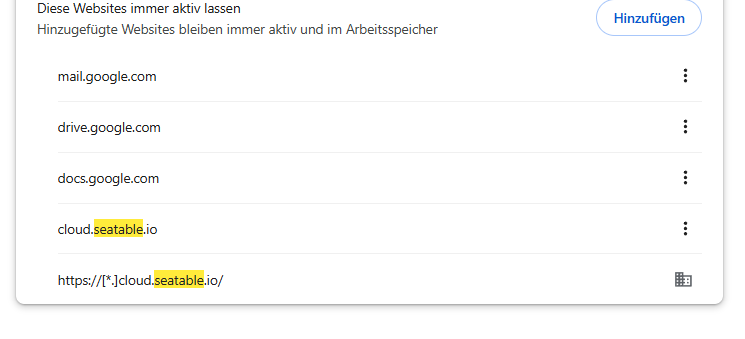
I tried to add “seatable” to “website every time active” in the browser settings, but it doesn’t help.
cool - dont now if this helps…but on google docs, if you open an old tab with a document. It reloads directly. Maybe you can have a look at how they are doing this.
Hello, I am a developer at SeaTable, and I appreciate your feedback.
Based on our current assessment, this issue may be related to how Chrome manages background tabs that have been inactive for an extended period. In some cases, when an old tab is reactivated, the page does not refresh to the latest state, resulting in the display of outdated data; manually refreshing the page usually resolves the issue.
Since we currently lack a reliable way to reproduce this behavior and have received limited reports about it, we do not yet have a definitive plan for a fix. We recommend manually refreshing the page whenever you encounter this to ensure you are viewing the most up-to-date data.
If you continue to experience this issue consistently, please feel free to share details about the usage scenario, such as:
How long the tab was left running in the background
Whether you were reopening an old tab on a subsequent day
Whether the issue occurs only in Chrome
This information will help us further investigate and identify the problem.
Thanks for your reply. I totally understand—it’s difficult for me to reproduce the behavior as well! Sometimes it happens, sometimes it doesn’t.
Here is as much information as I can provide:
How long the tab was left running in the background: Today it was only one day. I worked with the tab yesterday, and when I opened it today, one row was an old state.
Whether you were reopening an old tab on a subsequent day: I’m not quite sure what you mean by this.
Whether the issue occurs only in Chrome: I don’t use other browsers, so I’m not sure.
Important Chrome settings: I have Chrome set to “Continue where you left off” on startup. This means the browser keeps all my open tabs, so when I open Chrome again, they are all still there. Maybe this is related to the issue?
Do it like thousands of other people who have used SeaTable to develop powerful processes and get their ideas and tasks done more efficiently.