Sea table cloud, Win 10 Pro Chrome browser
how do i show the total of a column on page design? Including screen shot of of base. It is a time sheet. I need to show total of total hours calculated in a field at the bottom of time sheet in page design.
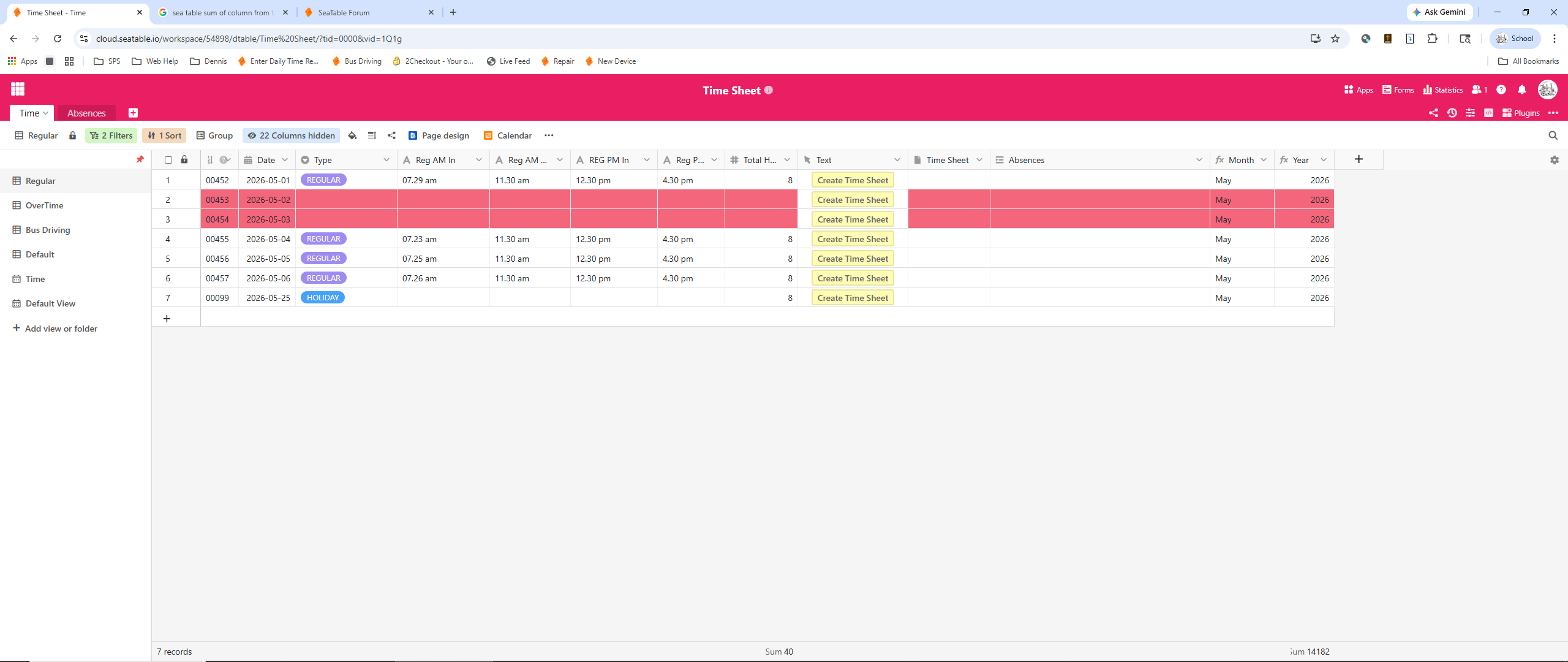
Your Setup:
- SeaTable Cloud, Dedicated or Self-hosted?
- SeaTable Version (only necessary for self-hosted):
You can find your SeaTable Server version athttps://your-server-url/server-info
Describe the Problem/Error/Question:
Please describe your issue as precise as possible. If helpful, you can also provide:
- Your formula (wrapped as code block)
- Screenshots
- Diagrams with Excalidraw
- Base structure details using this script.
Error Messages:
If there are any error messages shown in the browser console, please include them for better readability by wrapping them in a code block.
Example of a code block for error messages
