We want to transfer nested HTML lists (for displaying 2- and 3-level hierarchies) to various web systems and would like to use SeaTable as a basis.
This means that this HTML structure would have to be stored in a formatted text column.
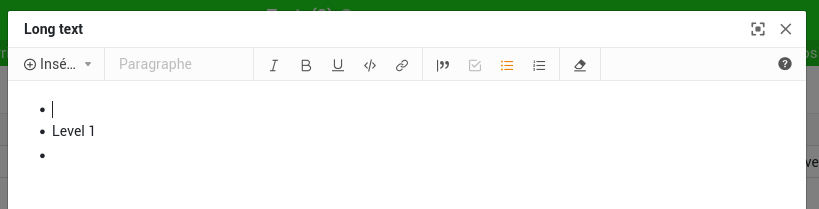
However, when I copy the corresponding text, the second (or further) level of the list is completely removed.
Is there a solution/workaround for this requirement? It is consistent HTML, after all.
Hi @ThoBunte,
While waiting for this bug to be fixed, here are some possible solutions (depending on your usage):
If your start point is HTML content :
unnesting the lists using an external HTML editor before pasting it to SeaTable’s long-text editor and nesting it again within the long-text editor using TAB (increase level) or SHIFT + TAB (decrease level)
Depending on your use case (way the various web systems retrieve the data, need to be able to edit it inside SeaTable, etc.), you can eventually use such an an external HTML editor to edit content and then copying/pasting the corresponding HTML code in a simple-text column
If your start point is HTML code :
converting your HTML lists to Markdown (using for example this converter) and then pasting the Markdown resulting data in the long-text editor (please note that doing so, the lists won’t actually be considered as lists but will just display lines starting with indented dashes
if you don’t need to edit the content inside SeaTable, copying the HTML code in a simple-text column and then using a simple Python script to populate a Long-text column from this input might do the trick. Please note that the content is right, even if the display in the editor is wrong (that’s why this option is not reliable if you want to be able to edit the content in SeaTable):
I just created a simple nested list in an external HTML editor like the one in your message
I copied the HTML code in a rawHTML simple-text column
I ran this script to populate a Long text long-text column:
from seatable_api import Base, context

base = Base(context.api_token,context.server_url)
base.auth()
base.update_row(context.current_table, context.current_row['_id'],{'Long text':context.current_row.get('rawHTML')})
print(context.current_row['Long text'])
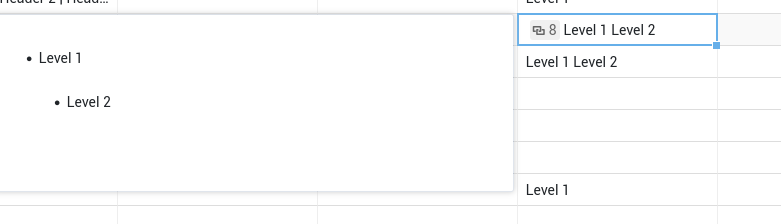
=> the actual stored data is right, as shown by running this simple Python script to display the content which returns <ul> <li> Level 1 <ul> <li> Level 2 </li> </ul> </li> </ul>
=> the preview on cell hover is reasonably right: