Hi,
is our impression true that the “Last login“ data in the admin interface

refers to the last actual login (i.e. explicitly using the login screen), and not the last time a user was active?
To be more clear: The “remember for x days” option seems to not only validate a browser session which is not older than X days, but also seems to extend that session by those X days.
Some of our users just have a tab with a seatable app pinned in their browser, because the App serves a central process here. Is it safe to assume that such a user, provided that he/she opens the browser every [ less than X days ], i.e. every working day, …
- will always extend the session when the browser opens
- will stay logged in as long as they are opening the browser every working day
- even over the Chrismas holidays, because we extended the “remember me“ to 21 days,
- will never need to log in again,
- and the “Last login“ stays at the date of the last proper login?
The point: The login of above user was 5 months ago according to the admin console, even though he showed me his logged-in Seatable session this morning.
The background: Using LDAP, our users are automatically self-registered upon login. Over time, possibly a lot of users have logged in either once, out of curiosity, or to contribute as a named user temporarily for a one-off purpose. We’d like to clean up the user base and deactivate those users for a realistic estimate of our licencing needs.
The above phenomenon, if verified, makes the “last login“ information useless for that purpose. It would bother power users who work in Seatable truly every day, and keep their browser session running.
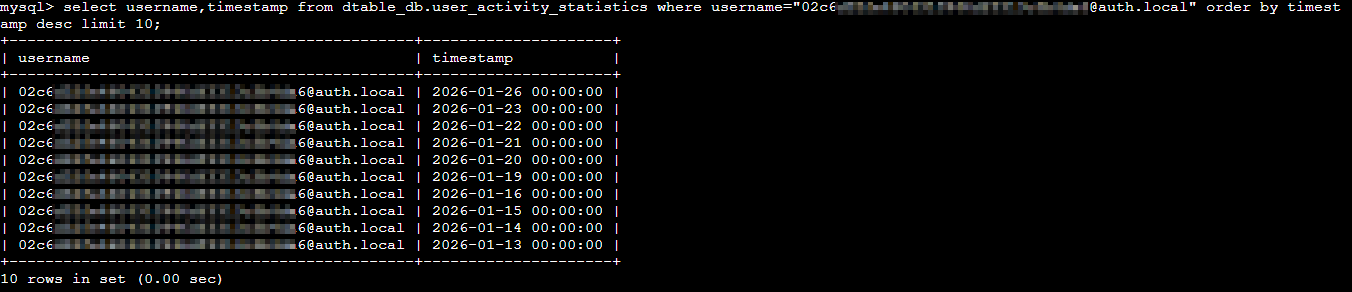
When researching this, I stumbled upon the table dtable_db.user_activity_statistics. This looks very promising - when are the records in this table written? Any other suggestions?
And, of course, a “last active“ datum in the admin interface would be perfect!