šŸ‡ŗšŸ‡² SeaTable 6.0 Beta: Now Available for Self-Hosters!

SeaTable has long been a smart solution. With version 6.0, SeaTable becomes intelligent!

The new major release combines SeaTable’s proven self-hosted no-code platform with modern artificial intelligence (AI). As ā€œthe world’s leading AI-powered self-hosted no-code solutionā€, SeaTable now offers innovative AI features without compromising data sovereignty and privacy.

Of course, version 6.0 also lives up to expectations for a major release in many other areas, with numerous improvements and new features. A complete list of changes is available, as always, in the changelog.

AI Features in Automations

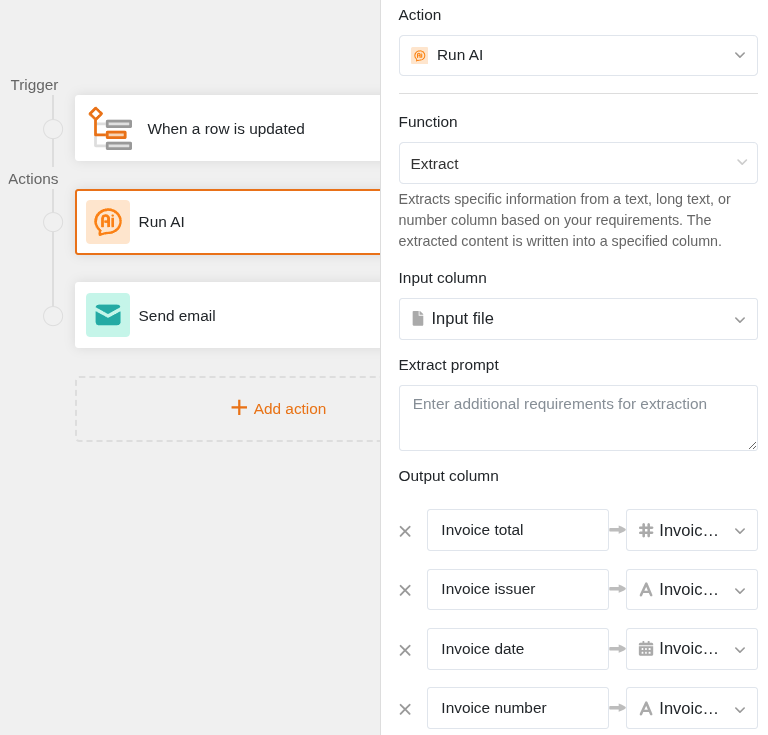
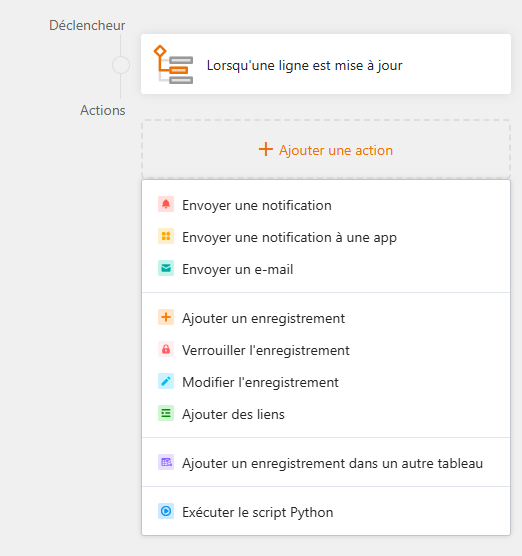
The Automation Wizard has been completely redesigned: intuitive operation, greater ease of use, and, as the highlight, the new ā€œRun AIā€ action.

The new action allows you to integrate AI directly into your workflows – for example, extracting information from documents, generating content summaries, or translating text. All features are designed so even AI beginners can use them without difficulty.
Data Protection: AI Made in Europe

Data protection is a top priority at SeaTable. For SeaTable Cloud, we will operate our own AI server hosted at Hetzner in Germany. This ensures that no data ends up with US providers such as Google or OpenAI. And you can do the same! Self-hosters can connect virtually any LLM and thus retain full control over who is allowed to process their data.

In our blog post AI powered automations: The highlight of SeaTable Cloud v6.0 we go into more detail about the motivation, implementation, and outlook.

Further Highlights

But that’s by far not all. Look forward to many other improvements:

  • New view types: Kanban, Calendar, and Gallery: Share Kanban boards, calendars, and galleries just like any other view
  • New column type for phone numbers: Store phone numbers just as easily as email addresses and URLs
  • Simplified date entry in date fields: Save time with shorter input formats for dates
  • Big Data export option: Export your Big Data along with your base just as easily
  • Complex filters in the App Builder: Filter your data like never before — now also in preset filters, on the table page, and in link configurations
  • Read-only columns on all page types: Set one or more columns to read-only, whether on table, kanban, calendar, or timeline pages

Staggered Release: What Changes?

New: We are splitting the rollout into two phases.

As of now, SeaTable 6.0 is available as a beta for all self-hosters, including updated admin and API documentation (with installation instructions for your own AI server).

The upgrade of SeaTable Cloud to version 6.0 will follow in about two weeks. This staggered approach allows for faster support for self-hosters, lets us incorporate your feedback directly into the cloud version, and enables better coordination of internal activities. The cloud release is planned for mid-October.

Important: At launch, the new AI features will be reserved for Enterprise customers. Starting with version 6.1, automations (including AI features) will also become available to Plus and Free accounts in a limited capacity.


Feedback and discussions about the new release are, as always, very welcome! Try out the beta and feel free to share your experiences and questions here in the forum.
4 Likes

Awesome work guys! Will definitely check it out!

2 Likes

Great release. Excited for the AI feature to extract information from documents.

When will this be available for the developer edition? The new tag is not available on docker hub yet.

AI features will not be available in the developer edition. I am sorry.

Hi,

I’ve updated our enterprise self-hosted to 6.0.6

I don’t have any ā€˜AI’ automation in the new automation form editor.

Did you install the seatable-ai extension/container?

No, I just did the upgrade procedure, didn’t see this additional container to add.
But from what I read, you must add a external LLM provider.

You are offering the AI feature only to cloud hosted enterprise customers, but not to selfhosted ones ?

Of course. The configuration is described here. Who else is supposed to provide the AI service?

Absolutely not! What makes you say/think that?

Sorry, I’m really not understanding the whole thing.
In the AI powered automations: The highlight of SeaTable 6.0 blog

you are mentioning that you are hosting a AI server running Gemma-3-12B.

And it’s should be free of charge for enterprise users.

I did the upgrade process as usual, and it appears that an additional container is requested (I didn’t notice any mention about that in the upgrade doc? )

In this specific container (seatable-ai) configuration page, it’s never written how to use the seatable offering, it’s only mentioned that the admin needs to set it’s LLM credentials.

ā€œModel Selection

In order to ensure the efficient use of SeaTable AI features, you need to select a large, multimodal model. This requires the chosen model to support image input and recognition (e.g. for running OCR as part of automations).ā€

So I must admit that I’m a bit lost :slight_smile:

You want to use the LLM we run for SeaTable Cloud, do I understand you right?

Sorry, then you misunderstood the offer. (It is possible that we may have been ambiguous in our presentation though.)

You are a self-hoster. As such, you cannot use SeaTable Cloud resources. Either you run your own LLM (as we do for SeaTable Cloud) or you use a separate LLM provider of your choosing (which cannot be SeaTable GmbH).

Ok, it’s clearer now. But indeed, the AI feature is so much praised in latest posts that the ā€˜cloud only’ remains a bit hidden.

I’m just frustrated as this feature is not reachable to enterprise self-hosted customers, but might be offered to free plan on seatable cloud.

Anyway, thanks for clarifying

Why do you think like that? It is straightforward to include any LLM to your self-hosted SeaTable Server. It is true, that you have to pay for the LLMs if you connect one to your SeaTable Server but AI at SeaTable Cloud is also not free, because you need an enterprise subscription.

The stable release was made available on November 4, 2025.

For more information, see SeaTable 6.0 out now!

I upgraded my docker compose stack from v5.3.12 → v6.0.10 today. The process was generally easy. The only issue I ran into is the seatable-ai container has hardcoded DB connection vars, it ignores environment vars in seatable-ai.yml. Is there a thread where I should post this?

I don’t get it. You mean, the .env variables are available but not used inside the container? Which variable is not used?

Just a side note:

Contrary to the expectations of @Ben , I like the possibility to choose any LLM (provider) we like. I doubt you could offer LLMs for self-hosted installations at a competitive price, performance and service level without compromising core product.

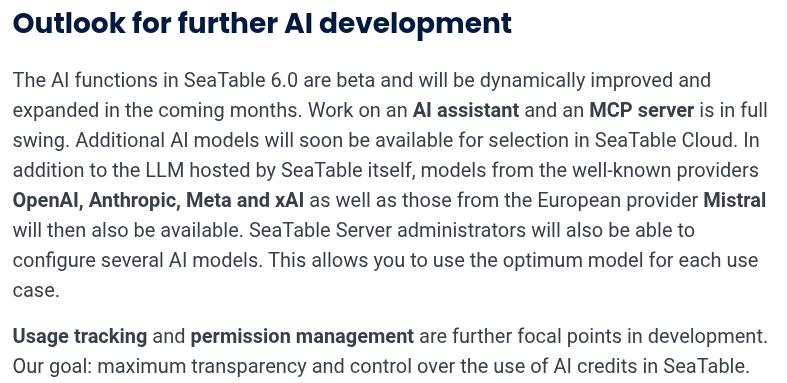
The main reason for my comment: Please consider more configuration options for the future development. This would broaden the offer of possible LLM providers.

Example: IONOS (which we are using) is not offering multimodal models at the time, but separate ones for text generation / RAG, image generation, and none for OCR. Having different configurations for different modes would make providers like this more usable.

Also, I expect more configuration options in the future, like standard / maximum picture sizes.

Your wish is our command :wink:

And because we anticipated your wishes, we have already incorporated them in our development plan:

Source: SeaTable 6.0: No-code becomes intelligent

This topic was automatically closed 2 days after the last reply. New replies are no longer allowed.