Your Setup:
-
SeaTable Edition : cloud (https://cloud.seatable.io/
Describe the Problem/Error/Question:
Please describe your issue as precise as possible.
- I am using Js script from a button in a table row
- I am testing the Seatable screen on Android, on Chrome
- I want to send data of the script, so data from the row, to a local native app on ‘localhost’ on a specific port , and I have a network error : the JS script cannot reach localhost , and there is no traffic recorded of my local native app (local server)
- The same part of code has been tested on same terminal, in an web app written in React Js (of mine) and works
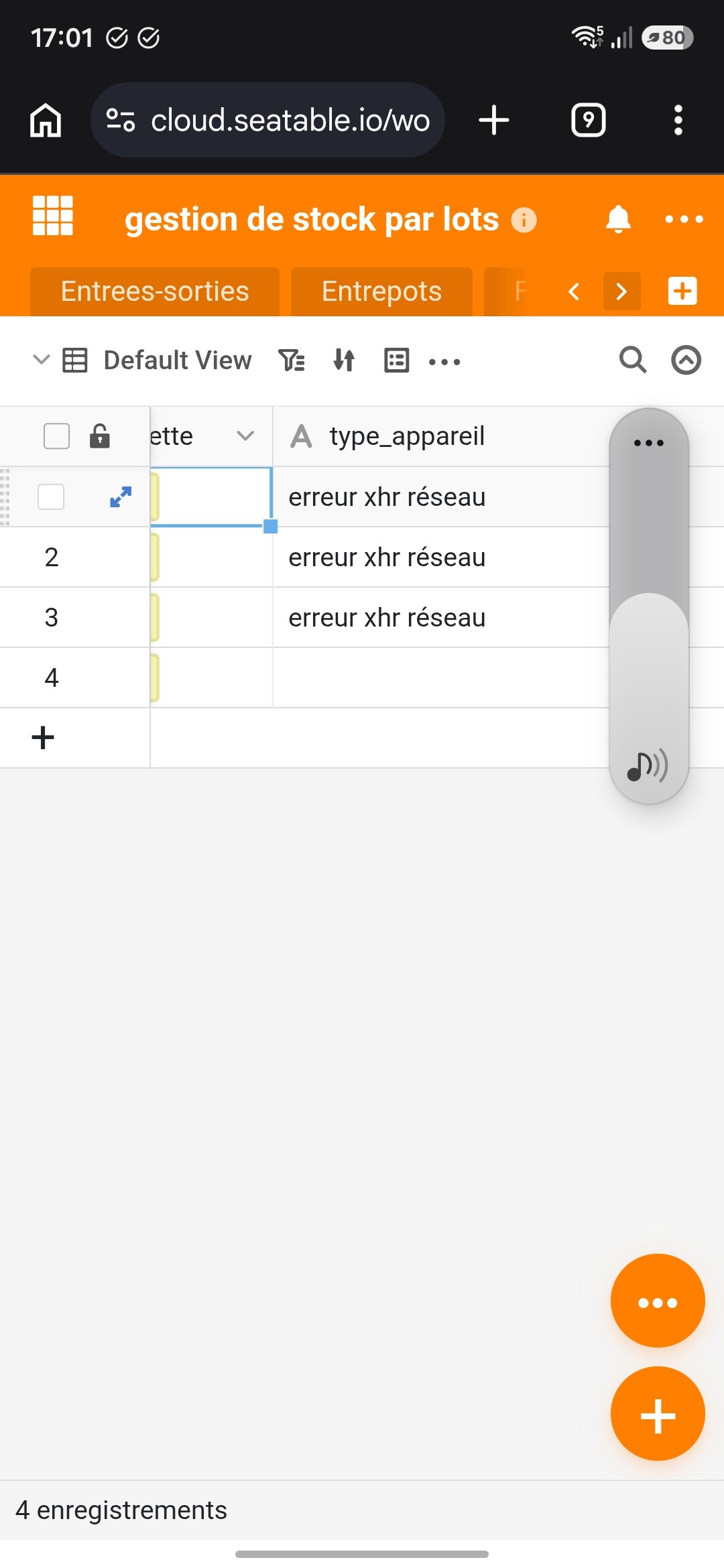
- to debug on Android , I display the last state past in a column of the table (see screen shot) ,
- I tested inside Chrome , ‘installed’ and not ‘installed (PWA)’ : same problem.
- On the 2 apps : mine and SeaTable, Chrome ask for authorization
Code :
const urlRaw =  "http://127.0.0.1:9100";

const SendRawAndroid =async ( data ) => {
  //output.text("data in (Android) :"+ data); inutile
  await base.updateRow(table.name, row['_id'], { 'type_appareil':"debut SendRawAndroid" });
  const xhr = new XMLHttpRequest();
  xhr.open("POST", urlRaw, true);
  await base.updateRow(table.name, row['_id'], { 'type_appareil':"passage POST" });
  xhr.setRequestHeader("Connection", "close");
  xhr.timeout = 1500;
  await base.updateRow(table.name, row['_id'], { 'type_appareil':"passage timeout" });
  xhr.ontimeout = async () =>{ //affichage dans la colonne
    await base.updateRow(table.name, row['_id'], { 'type_appareil':"ontimeout" });
  } //console.log("Envoi terminé (timeout)");
  xhr.onerror = async () =>  await base.updateRow(table.name, row['_id'], { 'type_appareil':"erreur xhr réseau" });
  xhr.send(data);
  await base.updateRow(table.name, row['_id'], { 'type_appareil':"envoi terminé" });
  return { status: 200, data: "OK" };
};
Error Messages:
The code stops on line :
xhr.onerror = async () => await base.updateRow(table.name, row[‘_id’], { ‘type_appareil’:“erreur xhr réseau” });
Questions :
- Is there a blocking code/parameter in the whole Seatable app against a localhost call ?
- do you think to another solution to this issue please ?
Thank you
