Hi SeaTable Team,
I am trying to enable email sending flowing https://manual.seatable.io/config/sending_email/.
When I reset the password of an user, I receive the error Successfully reset password to [...], but failed to send email to [...].com, please check your email configuration..
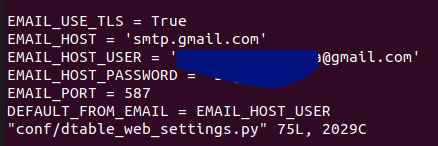
My email settings in dtable_web_settings.py:
The logs:
Do you have any ideas where I went wrong? I would very much appreciate your help.
Hi, I don’t see the line SERVER_EMAIL in your settings:
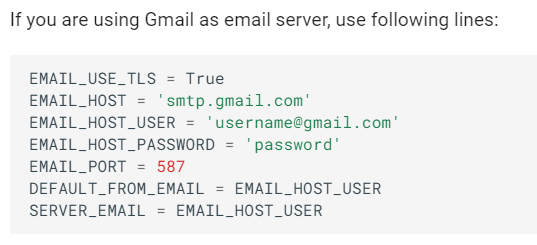
Maybe this is the cause?
Thank you @Karlheinz for the quick response. I have checked it, I have actually the last line. Sorry that the screenshot didn’t show complete information.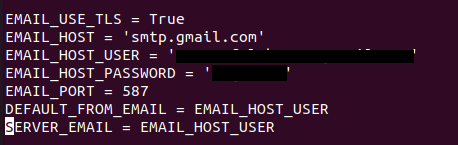
OK! I’m pretty sure the problem lies in Gmail.
So, you are sure, too, that your google mail login doesn’t require a 2-factor-authentication? If yes, then you’ll need a device password instead of your login password.
If that’s not the case - have you enabled “Less secure apps” in your Gmail settings? See the following article:
It works, when I enable “Less secure apps” for my Gmail! Thank you very much for the advice 
Do you think that it would be no problem when we use the business outlook email? My Gmail was just a test.
You are welcome, glad to have helped!
And yes, I’m sure it’ll work with your other email accounts too.
I’m glad to hear that. Thank you!

