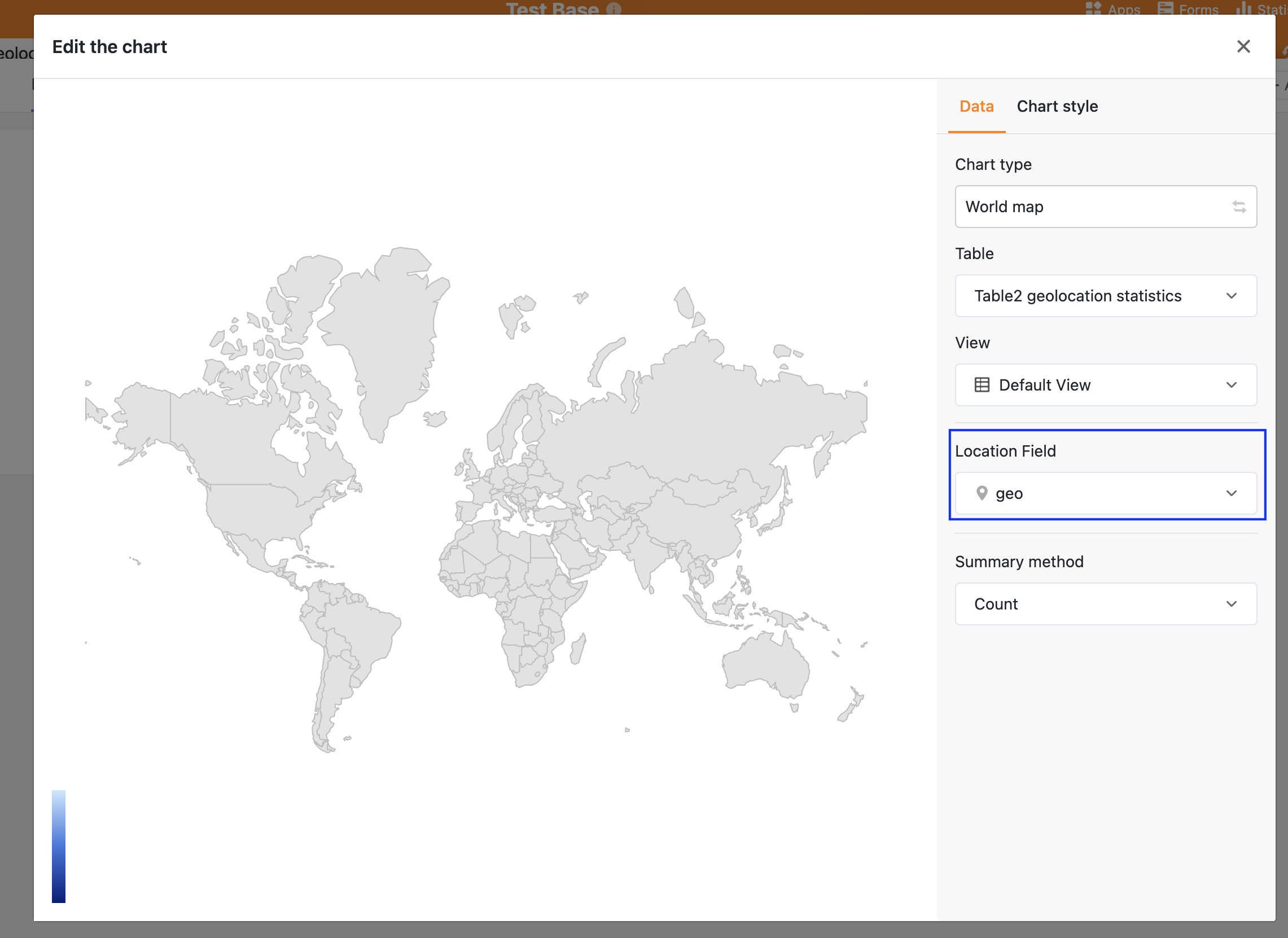
Statistic Maps doesn’t show any data (world map, no table data) neither using text column nor Geolocation. Using the Geolocation column by Map Plugin works.
SeaTable Cloud
Hi!
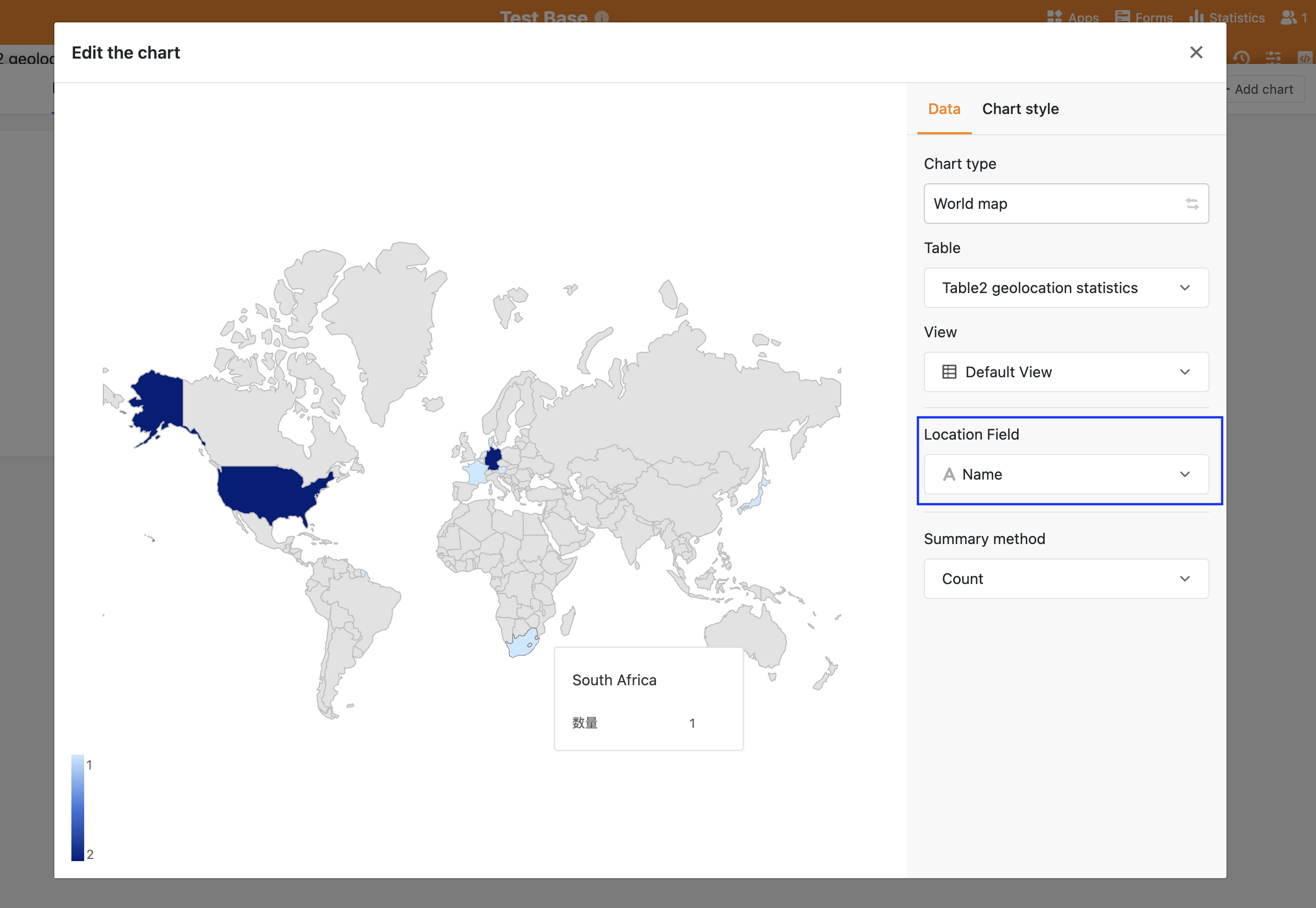
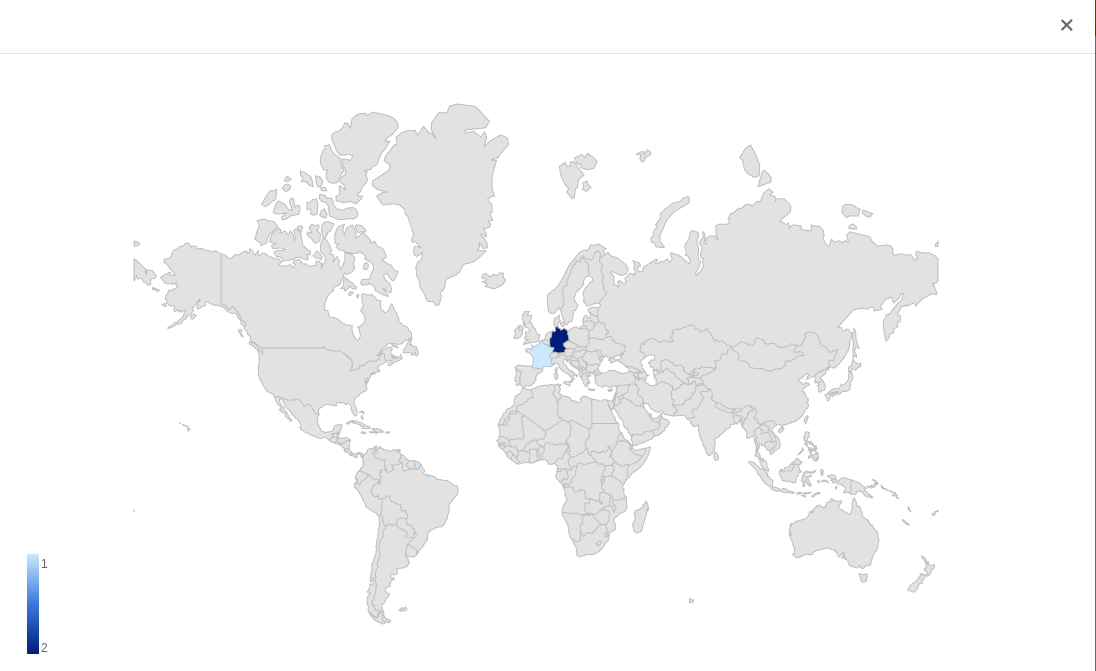
It works if you enter country names such as Germany or France in a text column and select this text column in the diagram settings:
@rdb Do you have more information on this? Is there a reason why there’s no support for geolocation columns or text columns with address data (via geocoding)?
I think the situation is as follows: (when chart type is world map)
-
Geolocation Column: The chart does not display properly when the Geolocation column is selected as location field. This may be a bug caused by an incompatibility with a recently upgraded third-party dependency. We are currently working on fixing this issue.
-
Text Column: The chart can display data when the Text column is selected as location field.
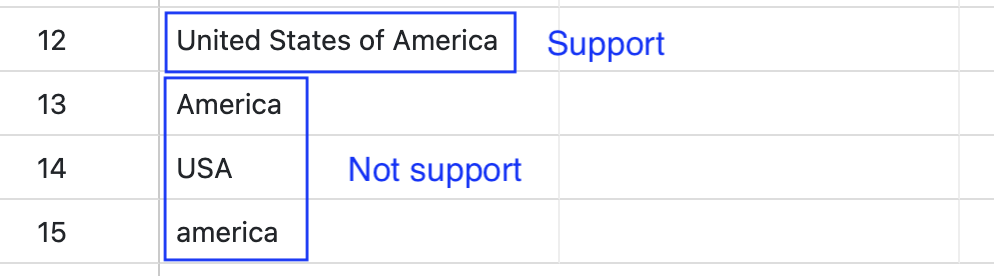
But the text must exactly match the country name. If an abbreviation or an alternative name is entered in the Text column, the corresponding country may not be displayed. For example, United States of America is supported, while America and USA are not.