Your Setup:
- SeaTable Edition (Developer or Enterprise)
Enterprise - SeaTable Version (only necessary for self-hosted):
You can find your SeaTable Server version athttps://your-server-url/server-info
4.4.9
Describe the Problem/Error/Question:
Please describe your issue as precise as possible. If helpful, you can also provide:
- API endpoints you used
- Commands you executed (remove credentials)
- Screenshots
- Diagrams with Excalidraw
Error Messages:
If there are any error messages shown in the console or in the logs, please include them for better readability by wrapping them in a code block.
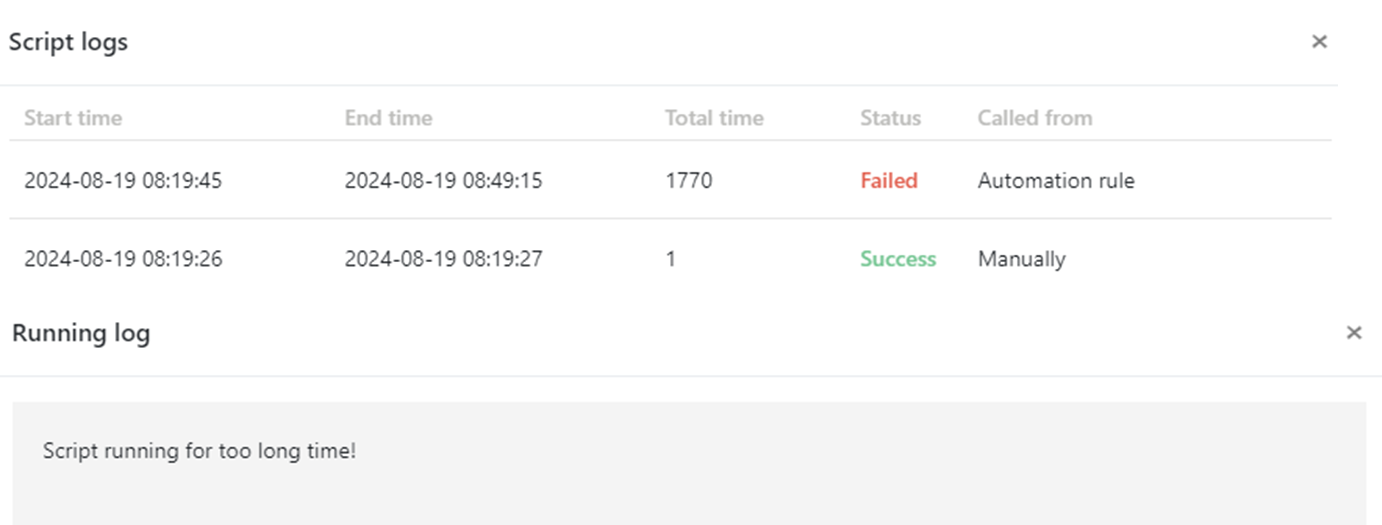
Script running for too long time!
Hello, SeaTable!
I tried to apply the functionality from Christoph’s tutorial on the Seatable Forum about getting an email address from a user column to an automation rule.
https://forum2.seatable.io/t/tutorial-get-email-address-from-creator-collaborator-last-modifier-column/1610
When I run the Python script manually, it executes and completes within a second without any issues. However, when I configure it to run as an automation rule triggered by a row modification, a timeout occurs, and the script fails to execute.
Is there a solution to this problem?
logs