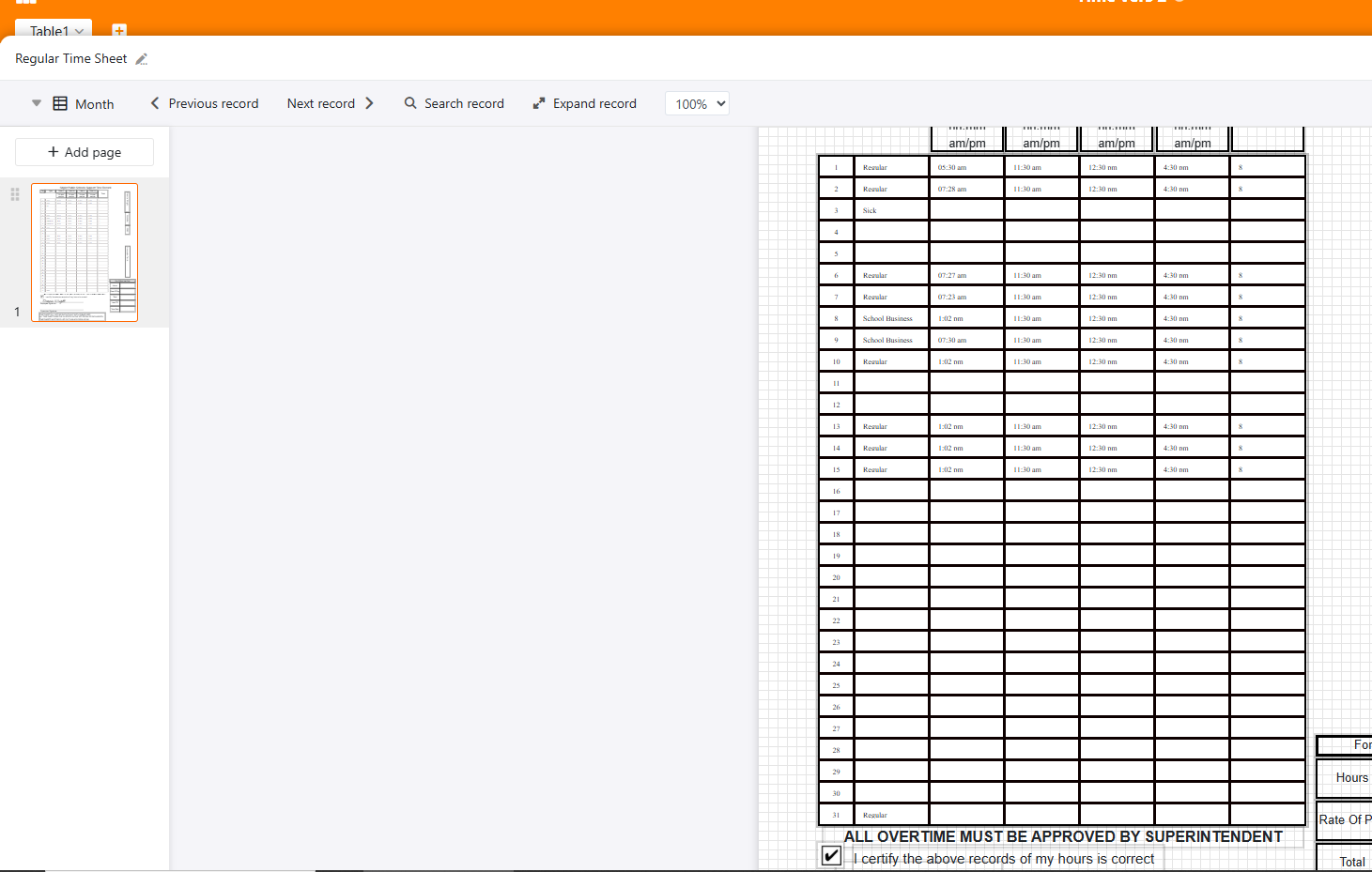
Is there a way to keep from vertical center on a table that it is in page design. It have to reduce the font size due to it erasing part of the text when it is large enough to be readable
I am on seatable cloud
any help appreciated
Hi @dwright,
Sorry I don’t really understand what you mean  . You can define Row font size and Row height but there are small, non-compressible top and bottom margins around the content of each cell.
In order to save some vertical space, I’d rather deal with your custom header: it looks like it uses three lines whereas you could probably get rid of am/pm as it’s quite obvious looking at the data. Besides, using the built-in table header will probably allow you to do something more compact.
Bests,
Benjamin
my employer uses a paper time sheet so mine has to look exactly like theirs.
if i have the date coming off of the top instead of being centered, it looks like that would take care of it. Is this possible?

Do it like thousands of other people who have used SeaTable to develop powerful processes and get their ideas and tasks done more efficiently.