In a calendar view of a base (and the base itself) I can configure the starting day of a week. Usually I set this to Monday.
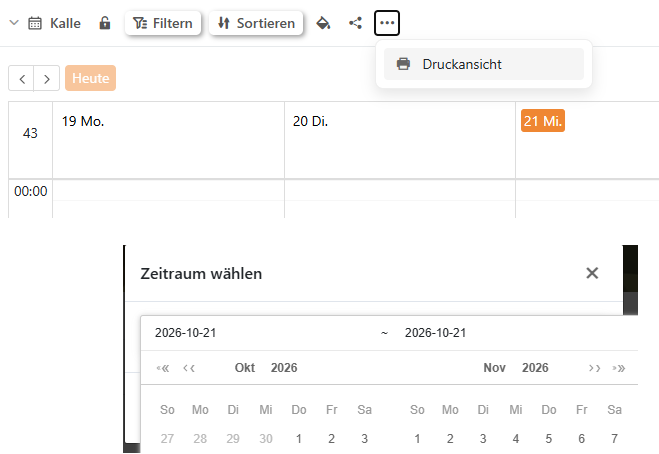
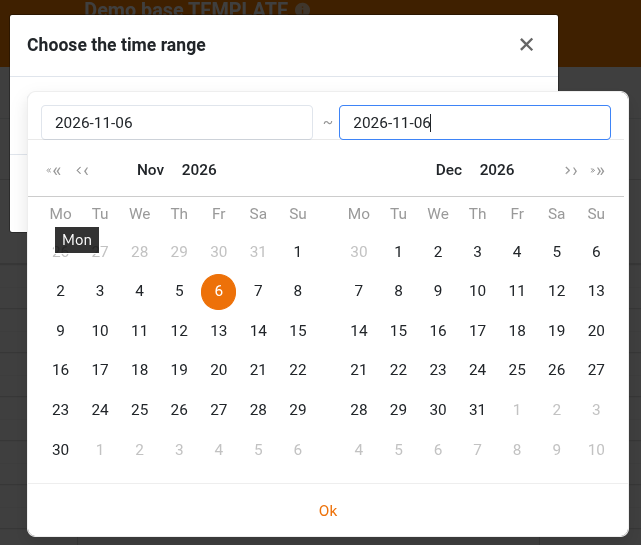
When opening the calendar view (it has to show either week or day) and selecting the print view I can open a date picker widget. But regardless of my date configurations for the base or calendar view this date picker always starts the week with Sunday (see picture).
Since the calendar view already allows users to choose the first day of the week, it would make sense for the date picker in the print view to follow the same setting.
If the main calendar starts on Monday but the print date picker always starts on Sunday, this seems more like an inconsistency between interface components than a missing server configuration.
It would be useful to know whether this is a known limitation in version 6.2.13 or something that could be addressed in a future update.
As @TimTom420 said it would improve consistency across the whole base. Having one User Experience for the same widget in different places would be nice. Is there a possibility for this to be looked at in future updates?