@Leo.Shi can you explain this part of your explanation, please?
It sounds like there is a way you can use single selects as a filter.
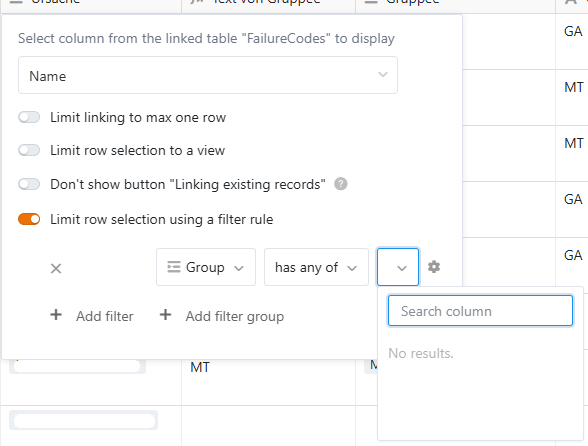
However, according to your other explanations, I suspect that the inability to match single-select options from 2 tables is due to the (assumed) fact that the filter does not compare the display values of options, but rather their internal option IDs.
If that is true and not changeable as you suggested, is there any point to offer single-select columns for dynamic filters at all?
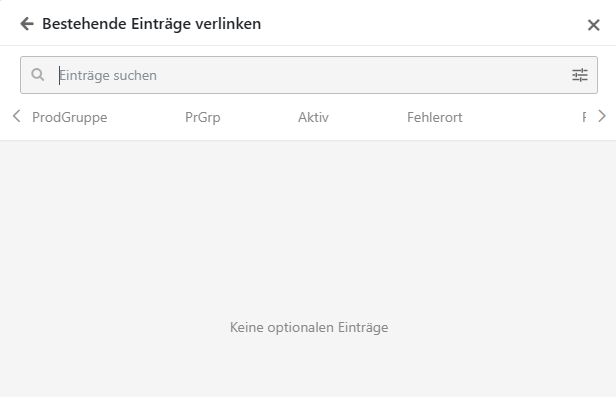
Anyway, I tried various workarounds I could think of, and only one - the most clumsy one - worked. However, it showed a lot of room where you can give some love to this inherently brilliant feature in general. I personally don’t care much for single select options, but quite often, you cannot live without them (Cascading; Colors for App diagrams; Kanban Boards). Here are the Workarounds I tried:
Linked table (clumsiness level 2/3)
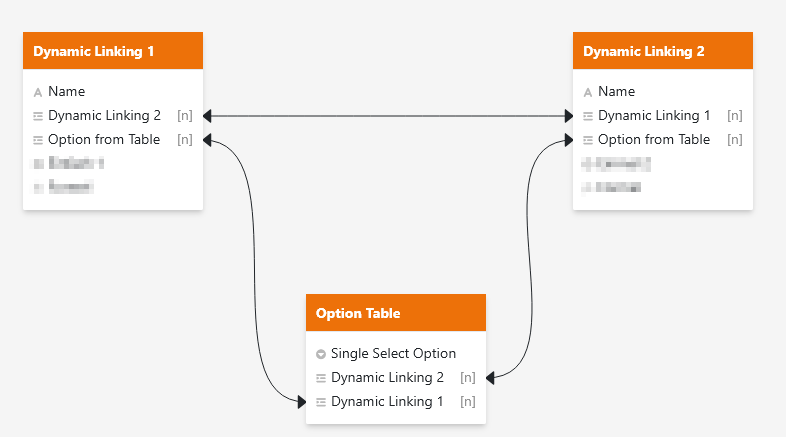
Trying out the solution I suspected from your quote above, I built the following, drawing the single option for both “dynamic linking” tables from the same linked table. I thought that maybe the options may be considered equivalent, having the same internal ID, because they were linked from the same “Options” table.
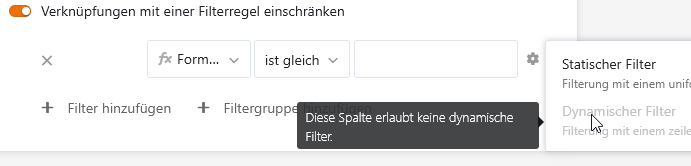
It failed because of the second thing that @niwi discovered: That link columns cannot serve as dynamic filters as well. Neither can link formulas, in case you wondered.
It was a bad idea in the first place, because in the backend (as opposed to Apps), we cannot restrict link columns to “linking only” (I think that was a feature request that reaches back to Seatable 3.x  ). Therefore, everybody could add new options to the “Option Table”, and even duplicate ones.
Using Formulae (clumsiness level 1/3)
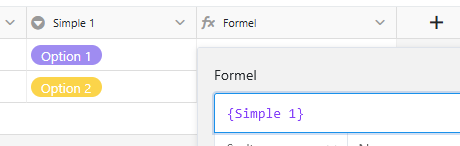
If my theory about the divergence of internal ID and display value was right, I thought I could force the use of the display value by referencing the Single Select columns in formulae, which results in pure string data.
It failed because we cannot use formula columns as dynamic filters as well, which is room for improvement IMHO.
Using Automations (clumsiness level 3/3)
The following workaround word, but just barely, so I’ll describe it very shortly:
- For both Single Select columns in both tables, define a text column
- Write two automations, one in each table, that trigger with a change of the single select (4 if you want the cover the “new record” event as well), and copy the Single Select value to the text column
-
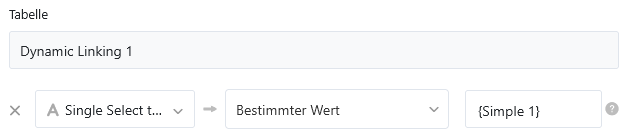
Because SeaTable does not support type conversions there, you have to use the {field name} option:
-
There’s some room for improvement, too
- Create a text-to-text dynamic filter, and it shoould work
It works, but is slow, resource intensive, creates redundant data unreliably, will not update reliably in Apps without refresh, and the automation breaks every time the Single Select field names change. Not recommended for production.