🚀 We need your Feedback: AI Chat for SeaTable

We already offer AI-powered automations with a self-hosted LLM. Now we’ve built something new: an AI Chat that lets you interact with your SeaTable data through natural conversation. You can ask questions, analyze data, create rows, and more.

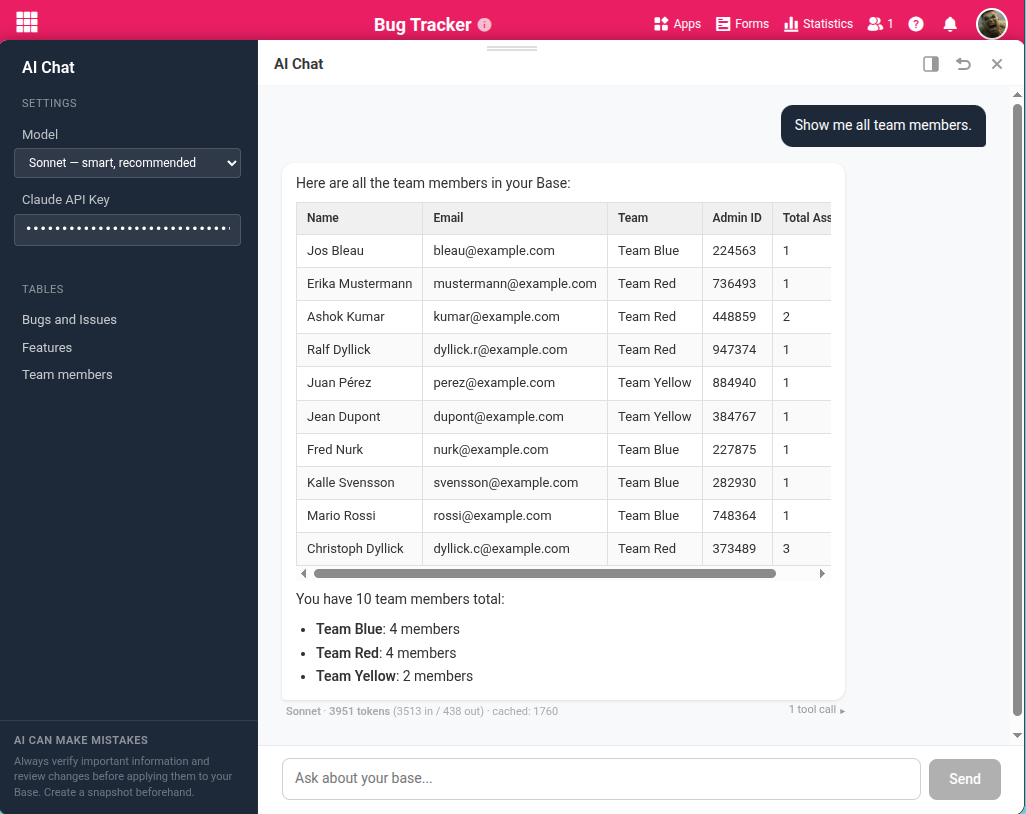
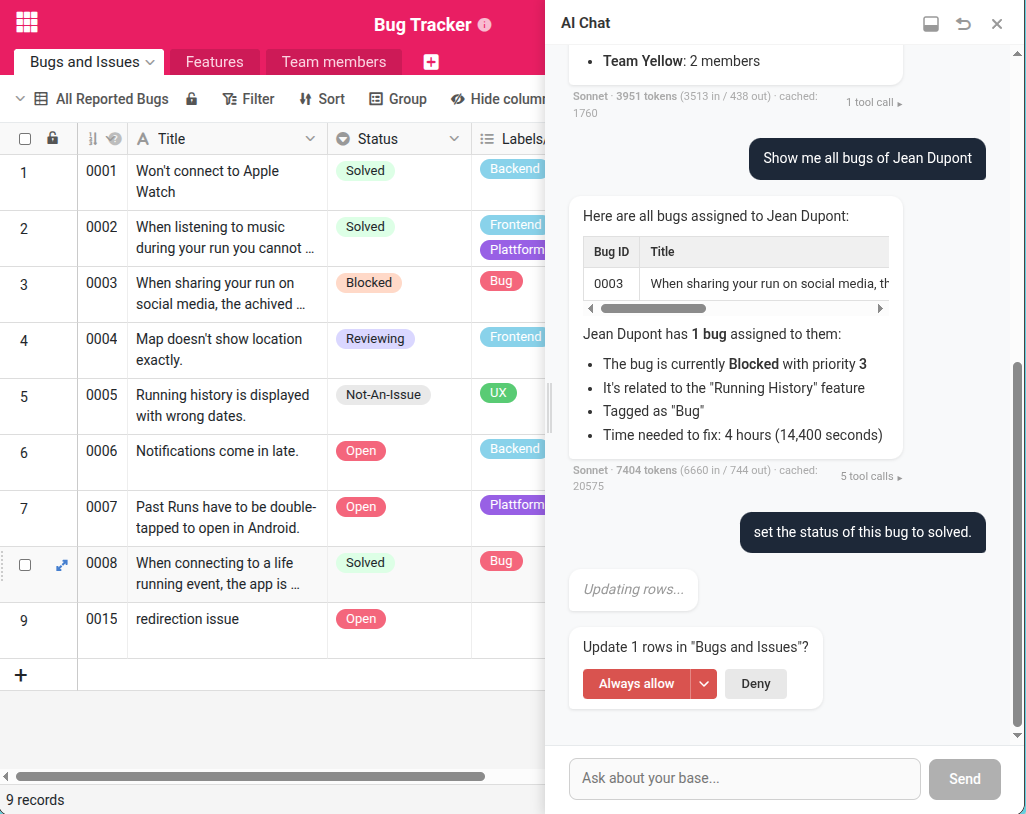
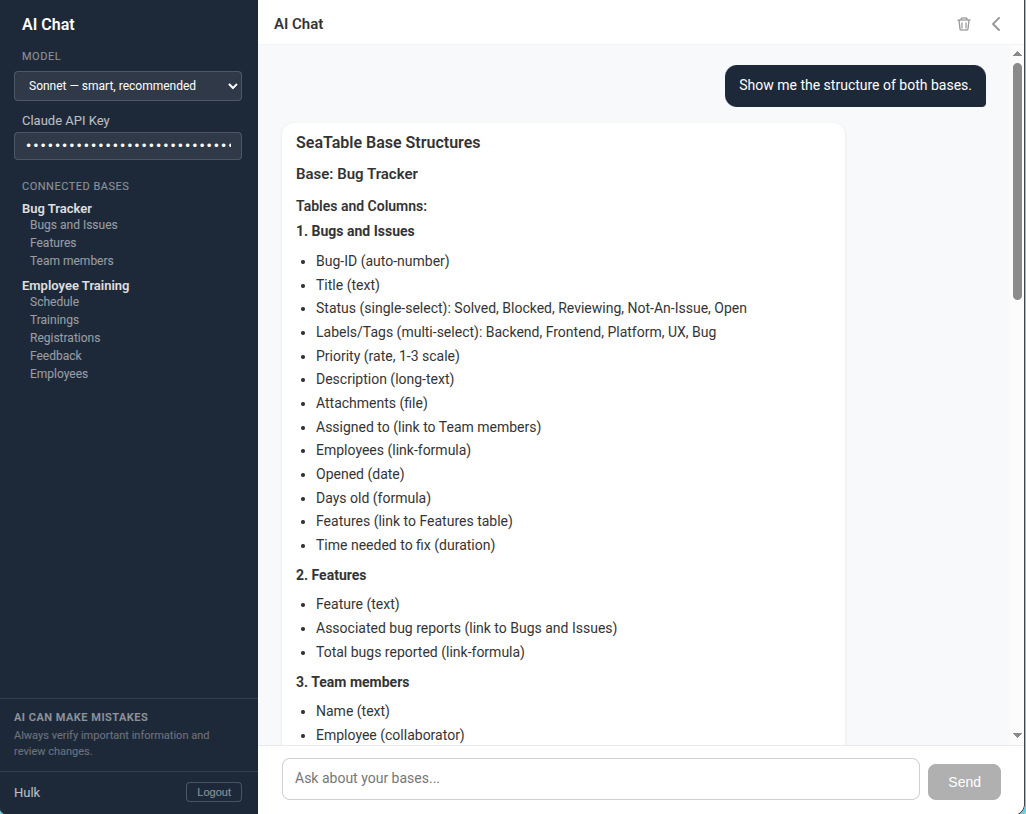
Here are a few impressions:

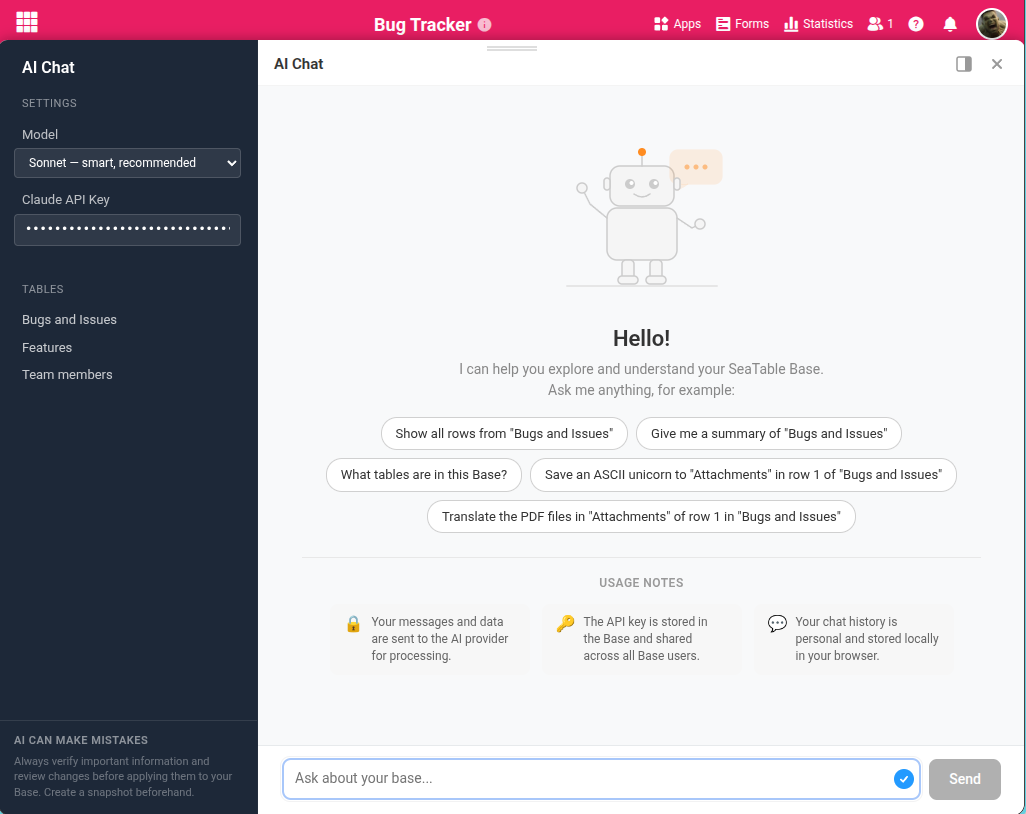
AI Chat Plugin


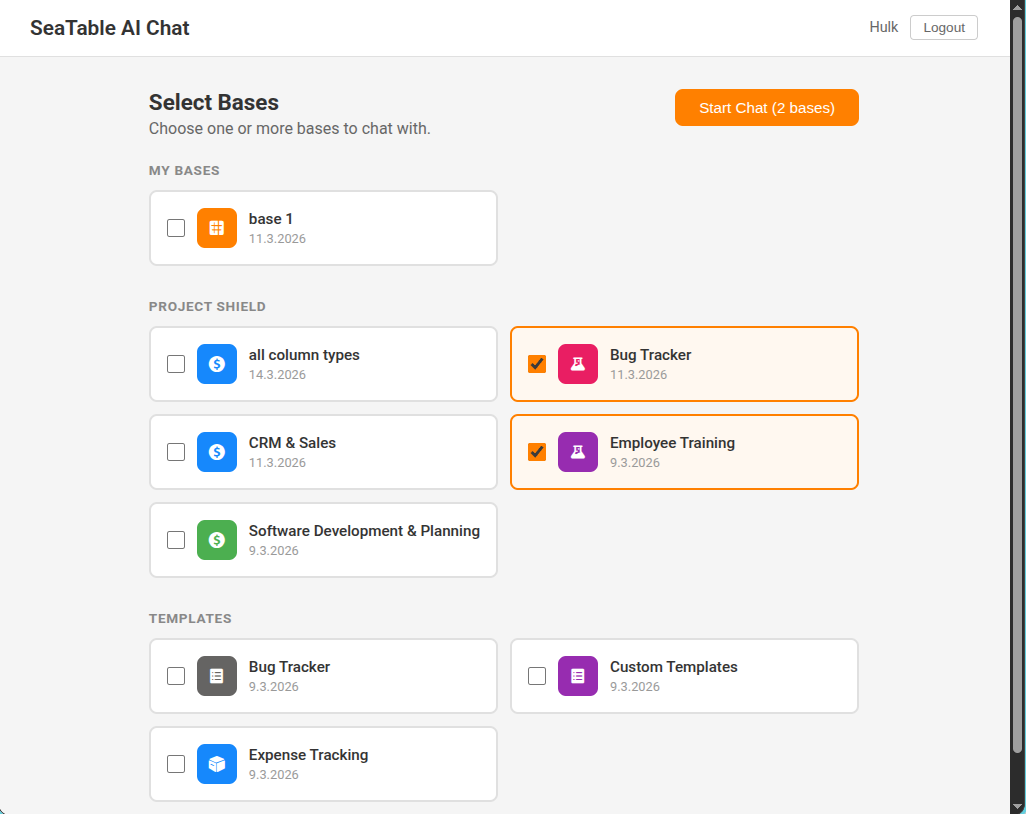
AI Chat Portal

Before we finalize the direction, we’d love your input on three decisions.

1) How should the AI Chat be integrated?

We’ve prototyped two different approaches:

  • As a plugin: You open the AI Chat inside a base. You see your tables and data alongside the chat, which gives you full context. The trade-off: you interact with one base at a time.
  • As a standalone chat: A separate interface where you can work with multiple bases in one conversation. The trade-off: you don’t see your data directly while chatting.

We’re leaning towards the plugin approach as the first release, since most interactions are about the data you’re currently looking at. Cross-base analysis could follow later.

What do you think? Is working within a single base with full visibility the right starting point? Or is cross-base interaction something you’d need from day one?

2) How should AI model access work?

The AI Chat requires a significantly more capable model than what we use for AI automations today. It’s not realistic for us to host a model at this level in the short term.

That’s why the current approach is Bring Your Own Key (BYOK): you connect your own API key from Anthropic or OpenAI, choose your preferred model, and pay the AI provider directly. This is an established pattern used by many AI-powered tools and has real advantages for you:

  • Model choice: Use the model that works best for your needs
  • Cost transparency: You see exactly what you spend, no markup
  • Always up to date: Access the latest models as soon as they’re available

This is different from our AI automations, where the model is included in your SeaTable subscription. We may offer a bundled option in the future, but for now BYOK gives you access to the best available models without waiting for us to catch up.

How do you feel about this? Is bringing your own API key acceptable, or would that be a dealbreaker for you?

3) Ship it as beta in v6.1?

SeaTable 6.1 is right around the corner. We could include the AI Chat plugin as a public beta in this release — giving you early access while we continue to refine it based on your feedback.

Would you like to see it in v6.1, even if it’s not fully polished yet? Or would you prefer we wait until it’s more mature?

Best regards
Christoph
1 Like

Good job – looks promising. We do this today with external, custom made pipelines for Seatable data and it works very well.

My 5 cents on the open questions:

1. The obvious answer here is “both”; both AI chat inside each base for single-base use, but also a possibility to create a standalone instance with multiple chosen bases. So long term, definately both. Short term, start with single-base plugin and build it out to the multiple-base feature down the line.

Additionally, it would be super useful to get access to these AI pipes via the API + Make/Zapier modules as well.

2. BYOK definately, and further down the line when light weight, open source SOTA models are available you can provide a built in fine tuned model.

We do need a way to securely set our API keys in accordance to all security measures for hashed secrets and so on.

Even further down the line, OpenAI API endpoint to use our pipes alltogether.

3. Yes! Beta in 6.1 sounds good, and that way you can get early adopter feedback early on.

Kudos, keep at it!

1 Like

I agree, and i would like to have the option to use my personal compatible OpenAI API endpoint as well. As big models are available on local hardware.

  1. PlugIn if it can access files eg. to fill data from files. CLAUDE works already fine right now. On base at a time is ok, as long as It can access multiple tables.
  2. Bring Your Own Key (BYOK) is fine
  3. Ship it as beta in v6.1

Hey @savacano and all others,

thank you very much for your initial feedback. I hope more will follow, but in the meantime I’d like to share some details about the available functions of the plugin.

The AI chat plugin can interact with all tables of a base. It can read data from all column types, including collaborators, images, and files. The plugin can also write data to any writable column, including files and images.

Updates and deletions require a confirmation, which can be accepted once for the entire session.

I put a lot of effort into reducing token usage through a two-stage architecture (tool selection before schema loading), selective schema injection, message truncation of older tool results, and prompt caching. A typical call requires between 1.000 and 4.000 tokens. As soon as you output multiple rows, the number of required tokens rises quickly. When a request exceeds 10.000 tokens, the chat asks for confirmation and recommends limiting the output.

Most of my testing has been done with Claude Sonnet and Haiku. I’ve specifically optimized the prompting so that even the affordable Haiku model delivers good results. In addition, two OpenAI models are supported: GPT-4o and GPT-4o mini.

  1. as a standalone chat to work with multiple bases
  2. Is this possible with sensitive patient data? Does the AI have access to the table data? How can you guarantee that the data is not stored in the AI cloud?
  3. i wait

Best regards,

Jonas

Dear Jonas,
thanks for your feedback. You have to differentiate:

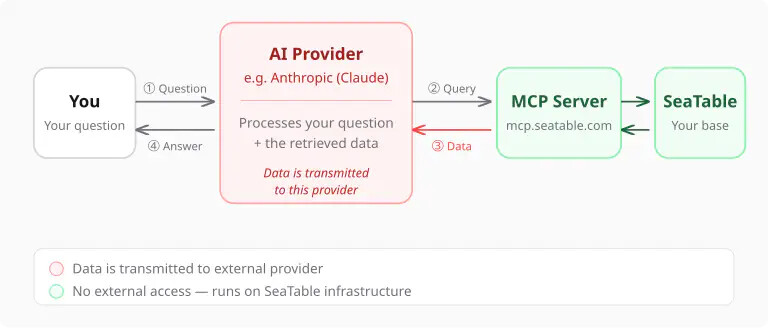
  • ai automations in SeaTable: the data is not sent to an AI provider
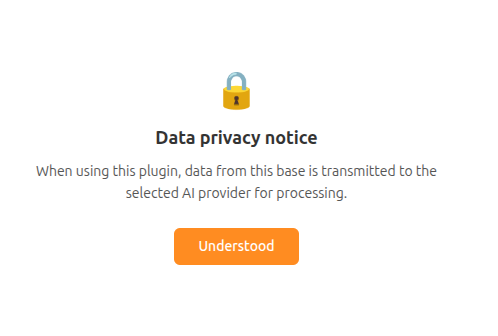
  • ai chat: data is sent to an AI provider.

Consequently, I would assume that this new plugin (or chatbot) is incompatible with sensitive patient data.

Here is an explanation of the data flow for such a plugin:

Not all data in general is transferred, but your question and the data, that the plugin received from the mcp-server.

I hope, this makes it more clear.

1.) first as a plugin and later as a stand alone is fine

2.) BYOK is fine (with support of Mitrals LeChat please)

3.) Ship as beta in v 6.1 would be brilliant

1 Like

I agree with your choice:

  1. Plugin first,
  2. BYOK,
  3. Excited for v6.1.

What sort of privileges will this AI system have? Will it use an account token or an API token? Does the confirmation system ensure that the AI is technically unable to update/delete without user permission or is it just instructing the AI not to do these things?

Restricting it to a specific database (and having the option of restricting it further) sounds a lot safer, especially if it’s sending data to an external AI provider. With access to all databases it could hallucinate a query for some unrelated database and accidentally exfiltrate some sensitive data.

Personally, I mainly want a way to completely disable and hide all AI features. But in case other people use them with our databases, I would prefer the potential damage to be limited. Maybe it would be a good idea to add an inherited per-database property to prevent use of AI features, including in copies of the database, which could be used when it contains sensitive data.